RGB LCD Example Guide

English | Chinese

Introduction

This example demonstrates how to use the GLCDC module of the RA8 series MCU together with RT-Thread’s LCD driver framework on the Titan Board to drive an RGB LCD screen, enabling image display and interface updates. This document provides a detailed overview of RA8 GLCDC peripheral features and the RT-Thread LCD driver framework, along with example configurations and usage methods.

RA8 Series GLCDC Module

1. Overview

The GLCDC (Graphics LCD Controller) is a high-performance graphics controller integrated in RA8 series MCUs, specifically designed to drive TFT/RGB LCD screens. It supports various resolutions, color formats, and graphics processing functions. Combined with RT-Thread’s LCD driver framework, it provides a unified interface for screen initialization, refresh, graphics rendering, and DMA-accelerated operations.

The RA8 GLCDC enables image output from either internal MCU memory or external frame buffers to RGB/LCD displays. Key features include:

  • Frame buffer control: Supports multiple frame buffers for page switching or double-buffered display

  • Color format support: RGB565, RGB888, ARGB8888, etc.

  • Graphics processing: Background layers, text/graphics composition, alpha blending, palette mapping

  • Synchronization signal generation: HSYNC, VSYNC, DE (Data Enable)

  • DMA support: High-speed data transfer, reducing CPU load

  • Interrupt functionality: Frame-end and line-end interrupts

2. Module Architecture

The RA8 GLCDC module mainly consists of the following submodules:

  1. Layer Composition Unit

    • Supports multiple layer stacking

    • Provides alpha blending, transparency control, and color keying

    • Allows rotation and flipping of layers

  2. Frame Buffer Interface

    • Supports access to MCU internal SRAM or external memory

    • Provides single or double buffering to ensure continuous display

    • Works with DMA to automatically read image data

  3. DMA Controller

    • Automatically transfers pixel data to the RGB output port

    • Configurable burst length to improve bandwidth utilization

    • Supports circular transfer, suitable for video or animation scenarios

  4. Timing Generator

    • Automatically generates HSYNC, VSYNC, and DE signals

    • Supports TTL interface RGB timing

    • Polarity, sync width, and front/back porch timings are configurable

  5. Interrupt and Event Controller

    • Provides frame-end and line-end interrupts

    • Can be used for page switching, dynamic drawing, or scrolling display

    • Supports interrupts triggered by DMA transfer completion

3. GLCDC Working Principle

  1. Frame buffer read

    • GLCDC uses DMA to fetch image data from memory, supporting single or double buffering for continuous display.

  2. Layer composition

    • Supports multiple layers such as background + foreground + icons/text

    • Provides alpha blending and palette mapping

  3. Pixel timing output

    • Generates HSYNC/VSYNC/DE signals according to LCD interface requirements

    • Supports RGB parallel interface, TTL interface, or LVDS (depending on board implementation)

  4. Interrupts and events

    • Frame-end interrupt (VBlank): Can be used to update the next frame

    • Line-end interrupt: Useful for scrolling displays or dynamic rendering

4. GLCDC Supported Features

Feature Category

Description

Resolution

Up to 800×480 (depending on MCU model and clock)

Color formats

RGB565, RGB888, ARGB8888, etc.

Multi-layer

Background + foreground + icon layers, supports blending

Frame buffer

Single/double buffer mode, DMA improves performance

Palette

8/16-bit palette mapping for color conversion

Sync signals

HSYNC, VSYNC, DE, configurable polarity and timing

DMA support

Automatic memory transfer, CPU-free

Interrupts

Frame-end, line-end interrupts for synchronized refresh

Rotation/Flip

Supports 90°/180°/270° rotation and X/Y flipping


RT-Thread LCD Driver Framework

RT-Thread provides a LCD driver framework, which abstracts the underlying controller and supports different screen types and MCU peripherals. Key interfaces include:

Main Interfaces

Function/Macro

Purpose

rt_device_find("lcd")

Find the LCD device handle

rt_device_open(dev, flags)

Open the device and initialize the LCD hardware

rt_device_control(dev, cmd, args)

Control the LCD, e.g., update image, set backlight, read screen info

rt_device_write(dev, pos, buffer, size)

Write pixel data to the LCD

rt_device_read(dev, pos, buffer, size)

Read pixel data from the LCD (supported on some screens)

rt_device_close(dev)

Close the LCD device

Hardware Description

image-20251015150343012

FSP Configuration

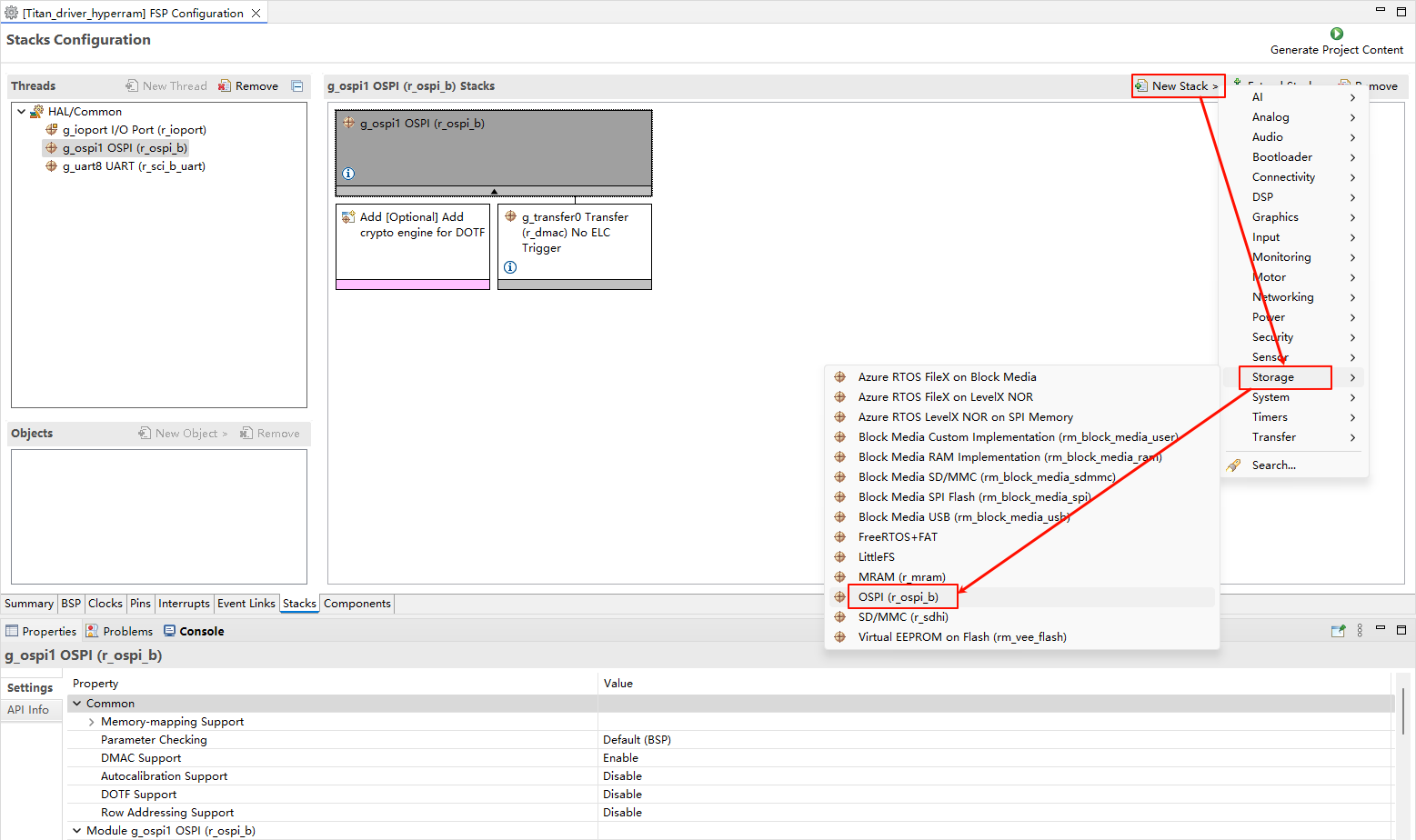
HyperRAM Configuration

  • Create a r_ospi_b stack:

image-20250815132339843

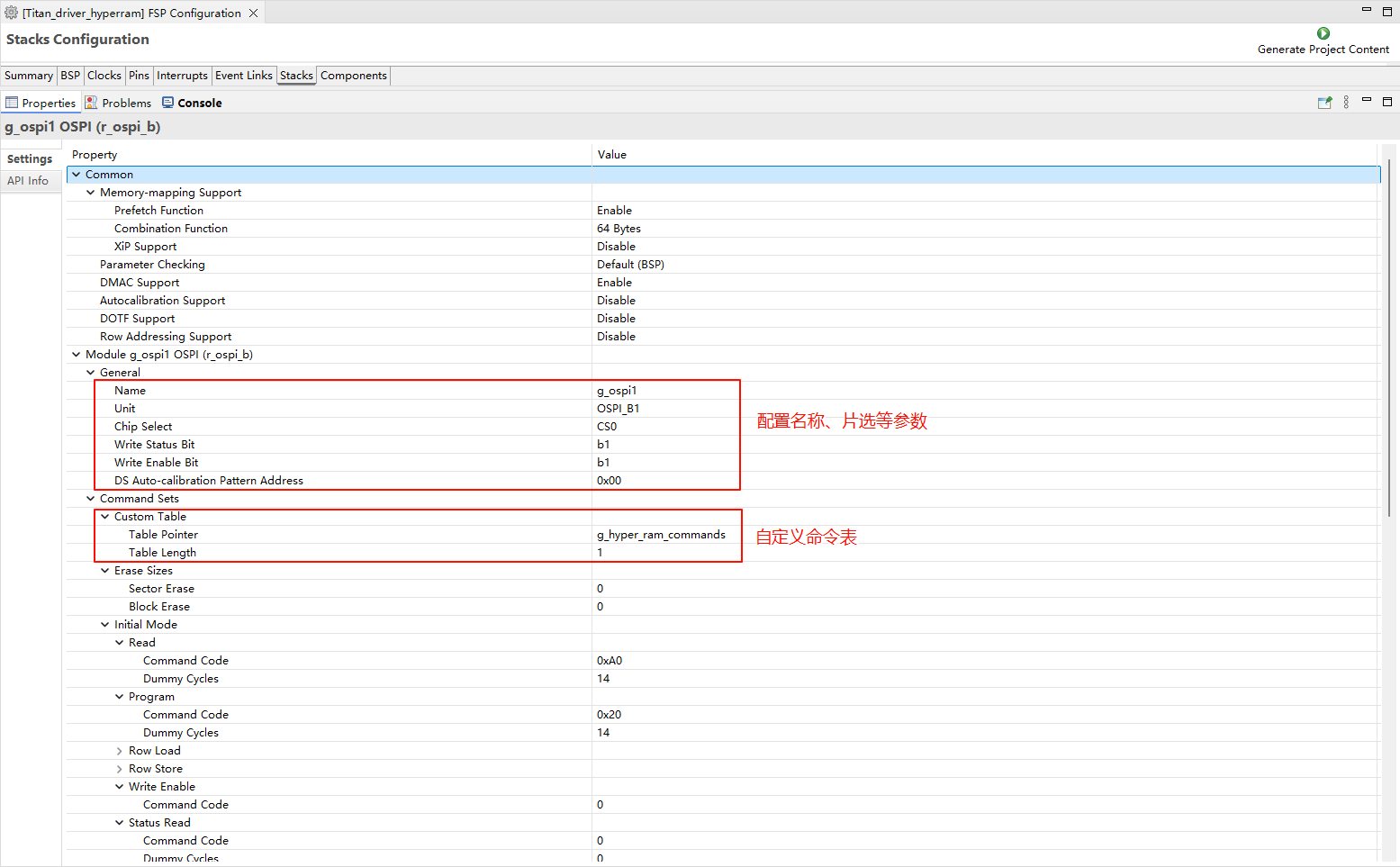
  • Configuration r_ospi_b stack:

image-20250815132512856

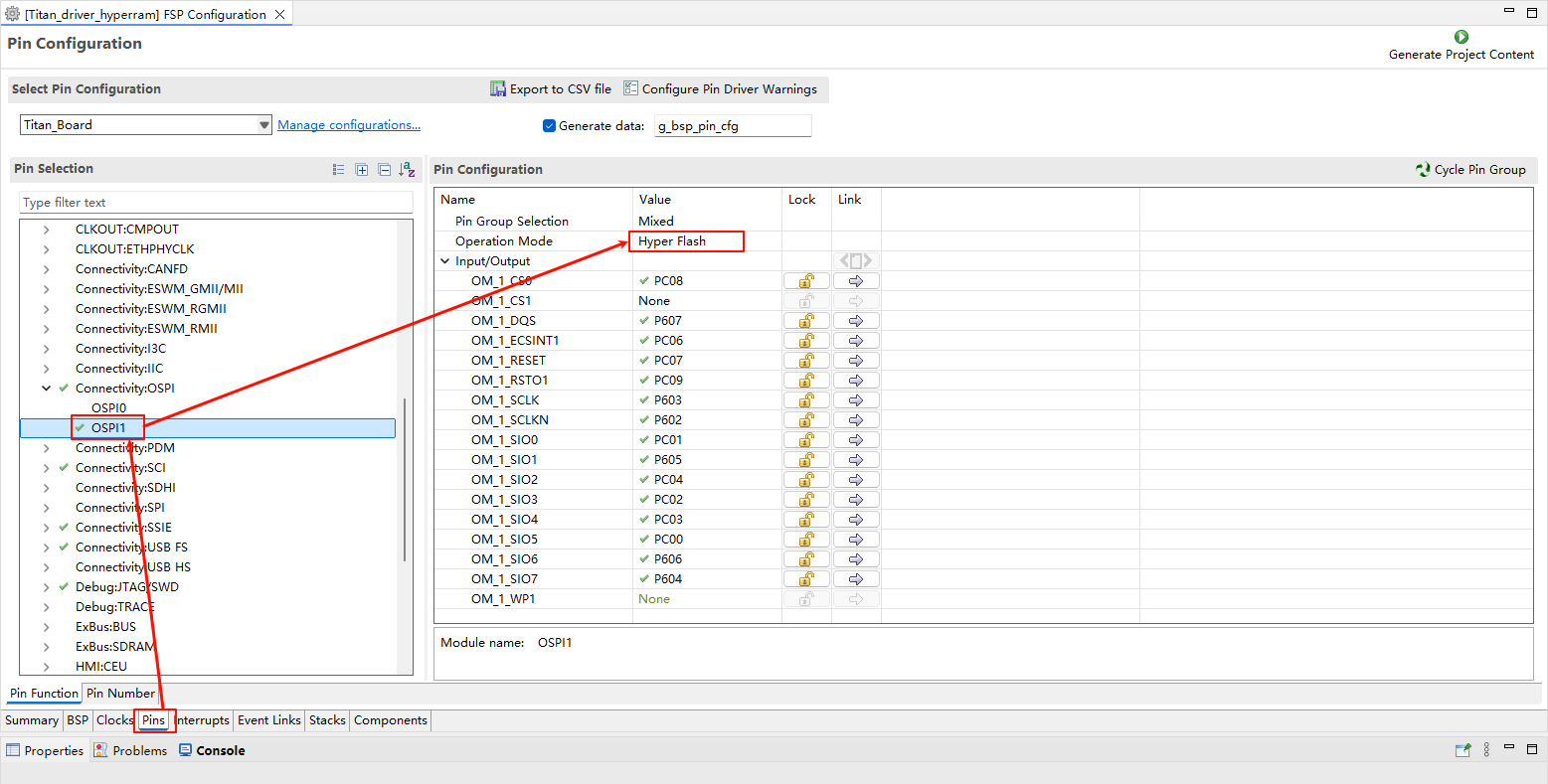
  • Configuration HyperRAM pins:

image-20250815132527184

RGB LCD Configuration

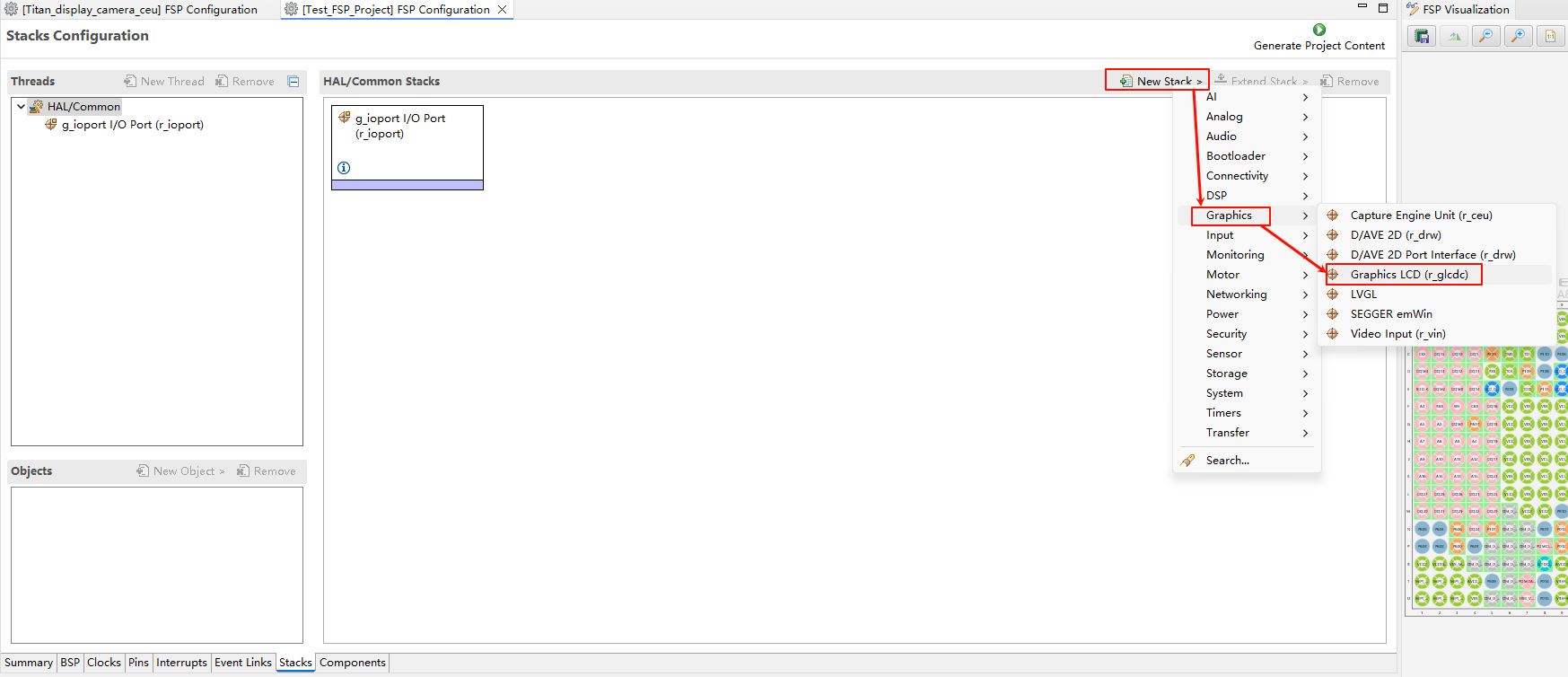
  • Create a r_glcdc stack:

image-20250815161846630

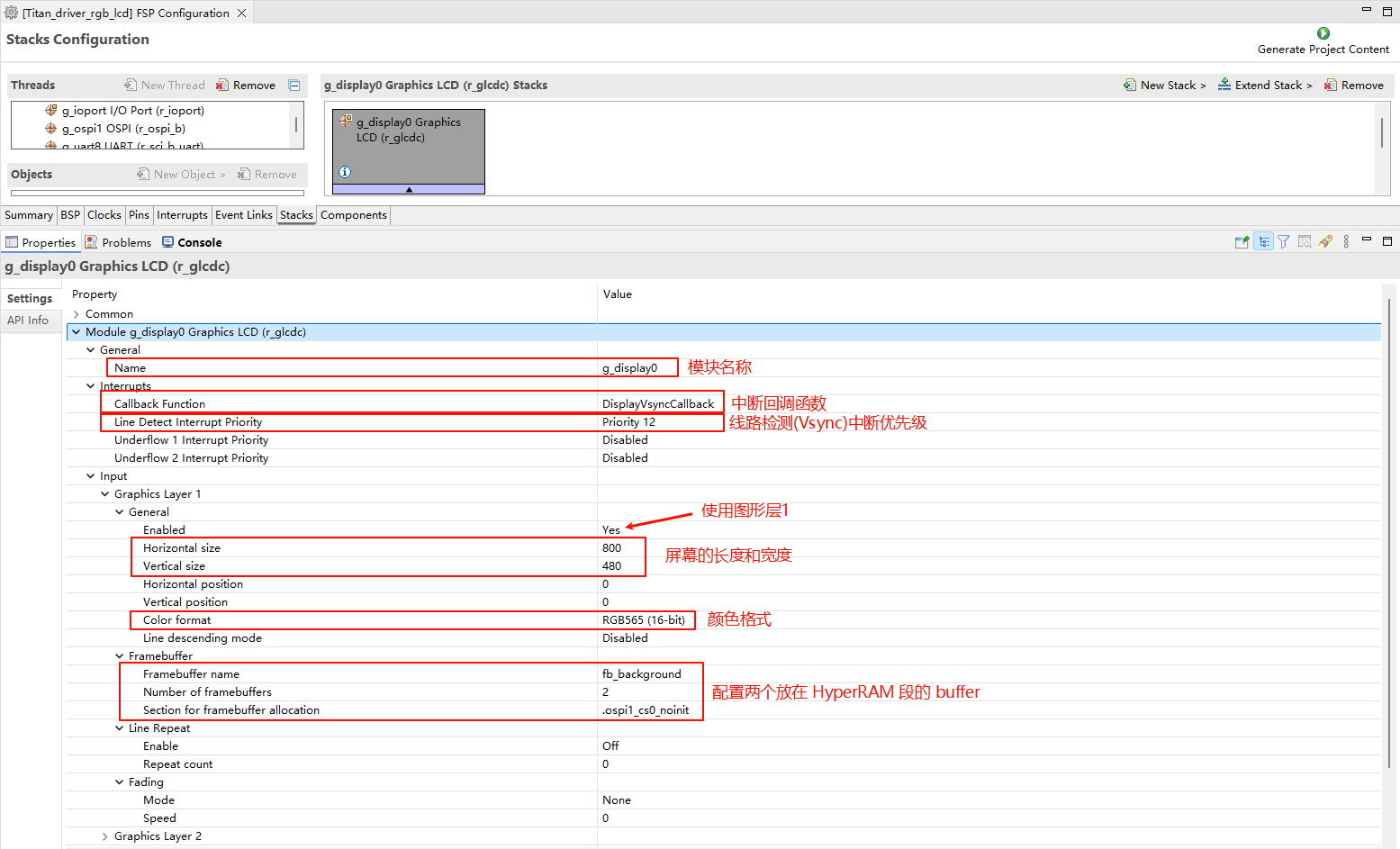
  • Configure interrupt callback and graph layer 1:

image-20250815133821008

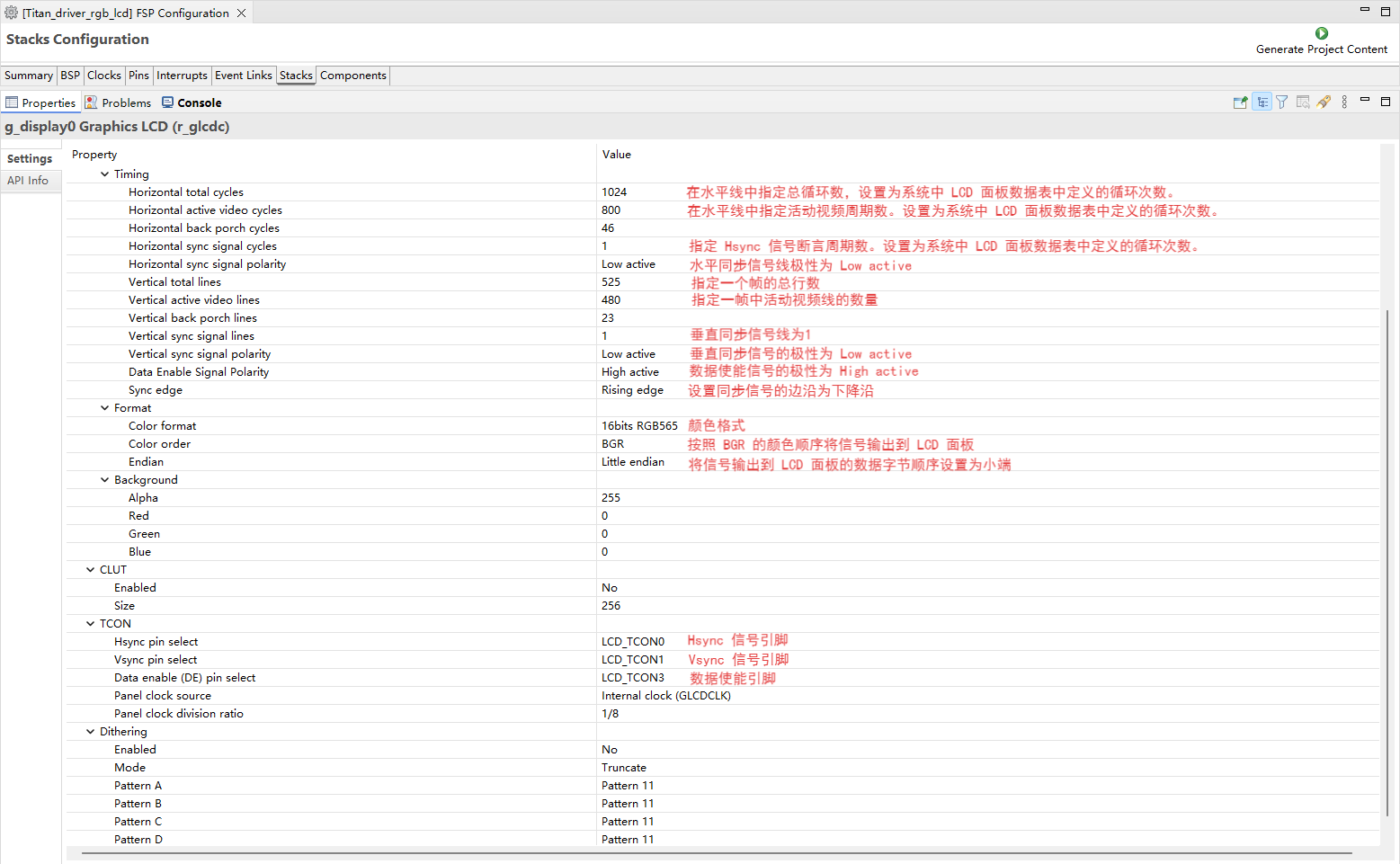
  • Configure Output、CLUT、TCON and Dithering:

image-20250815134559370

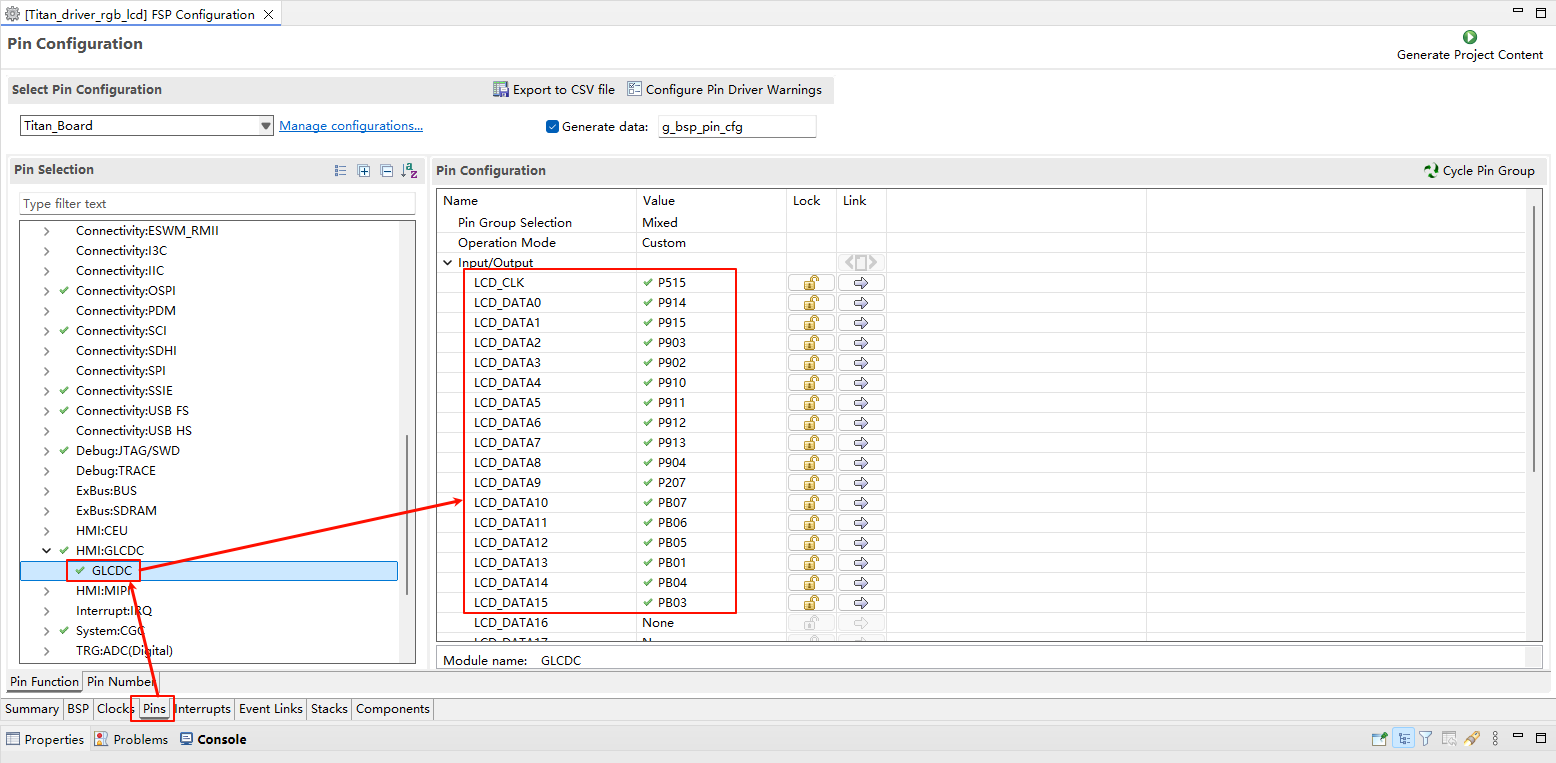
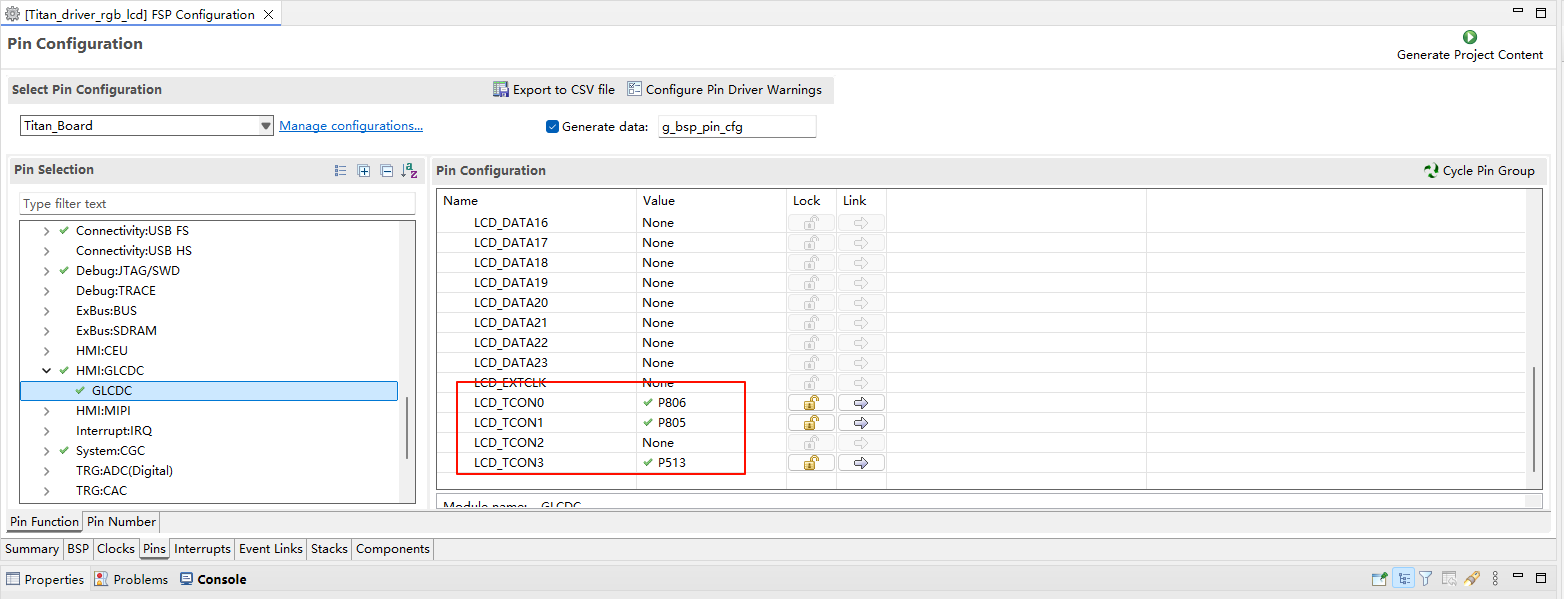
  • Configure GLCDC pins:

image-20250815135553172

image-20250815135621157

LCD Backlight Configuration

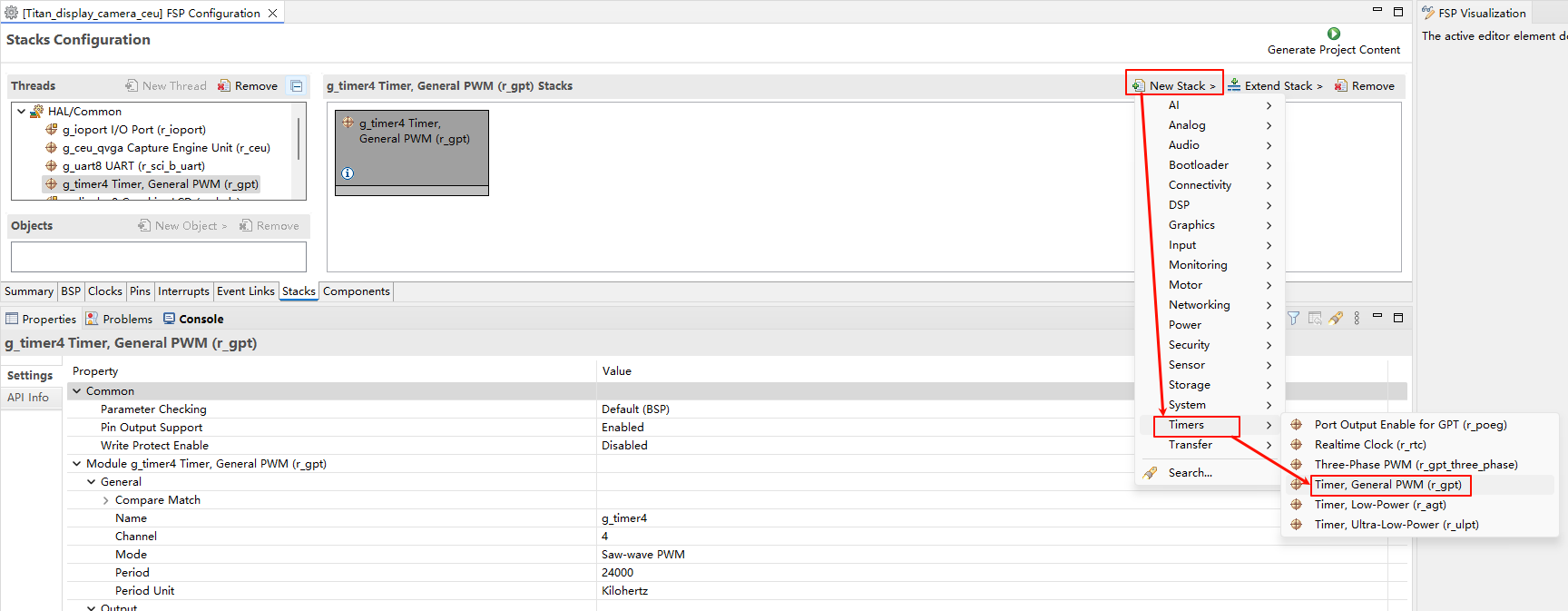
  • Create a r_gpt stack:

image-20250815163248005

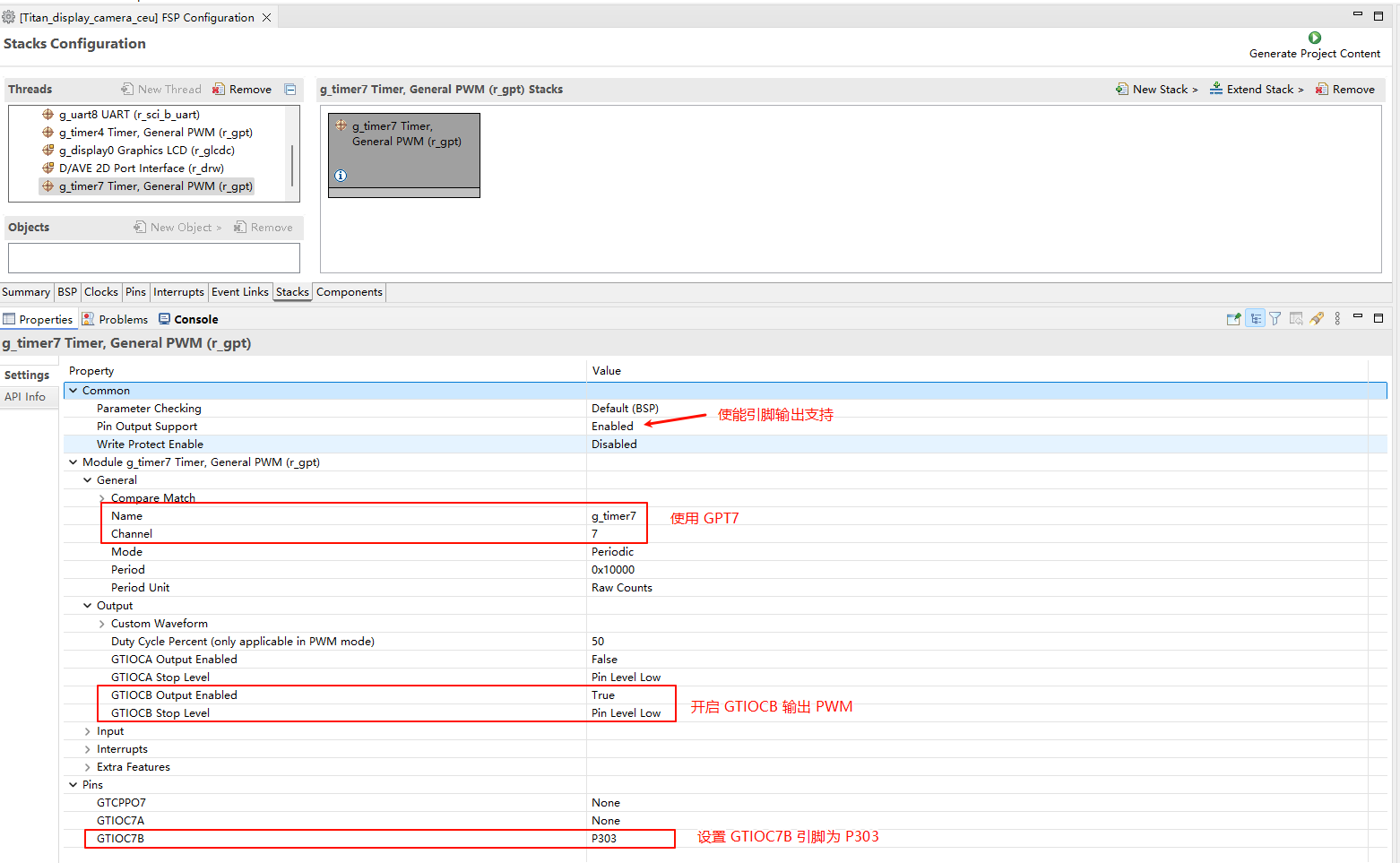
  • Configure back light PWM output:

image-20250815165329527

D/AVE 2D Configuration

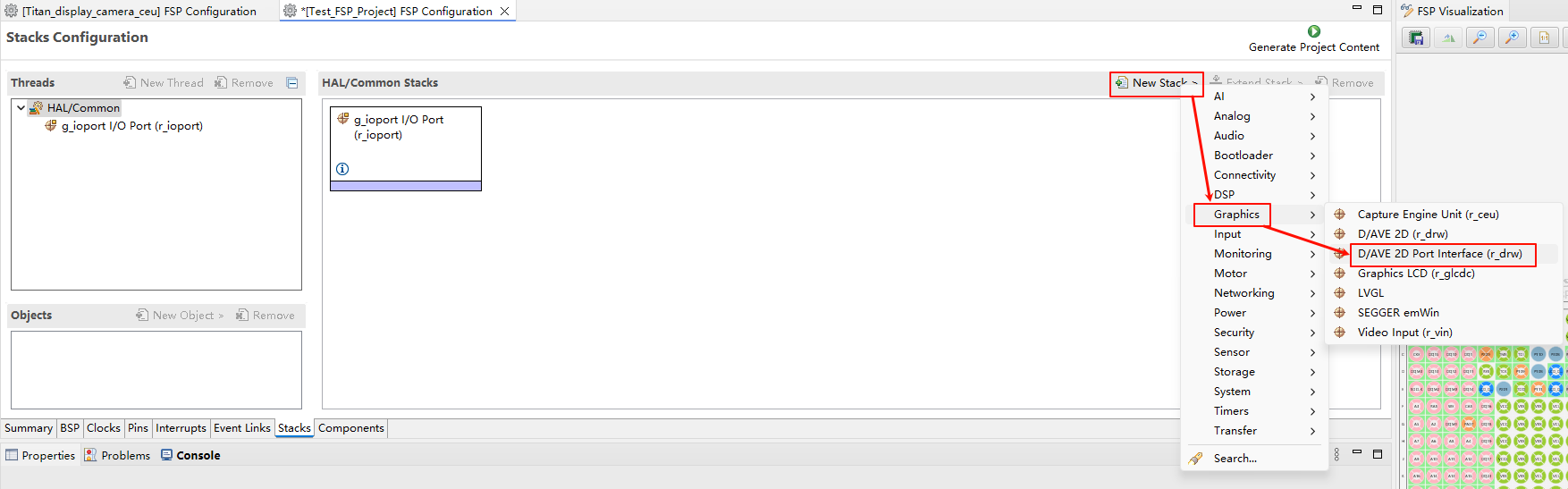
  • Create a r_drw stack:

image-20250815162521851

RT-Thread Settings Configuration

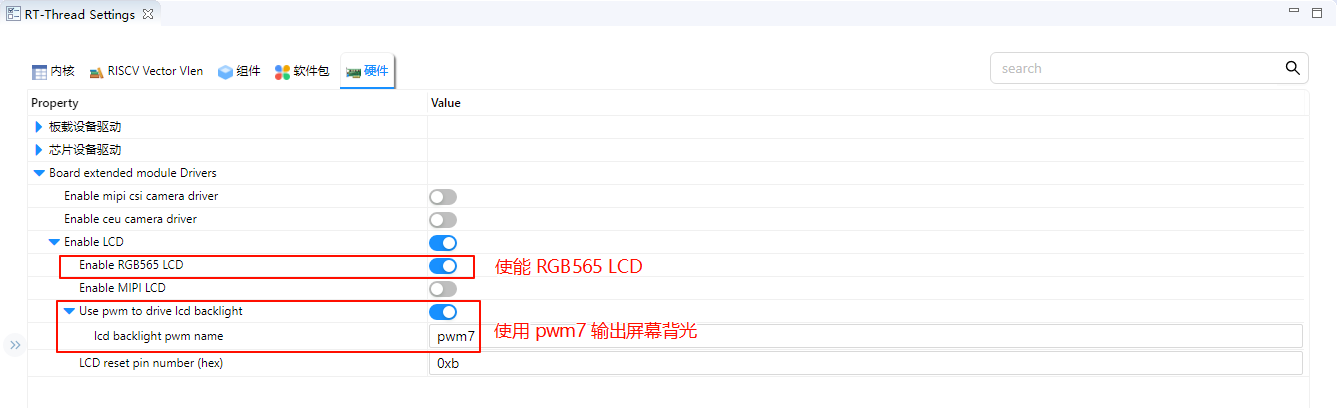
  • Enable RGB565 LCD in RT-Thread Settings, using pwm7 output screen backlight.

image-20250815135800213

Compilation & Download

  • RT-Thread Studio: In RT-Thread Studio’s package manager, download the Titan Board resource package, create a new project, and compile it.

After compilation, connect the development board’s USB-DBG interface to the PC and download the firmware to the development board.

Run Effect

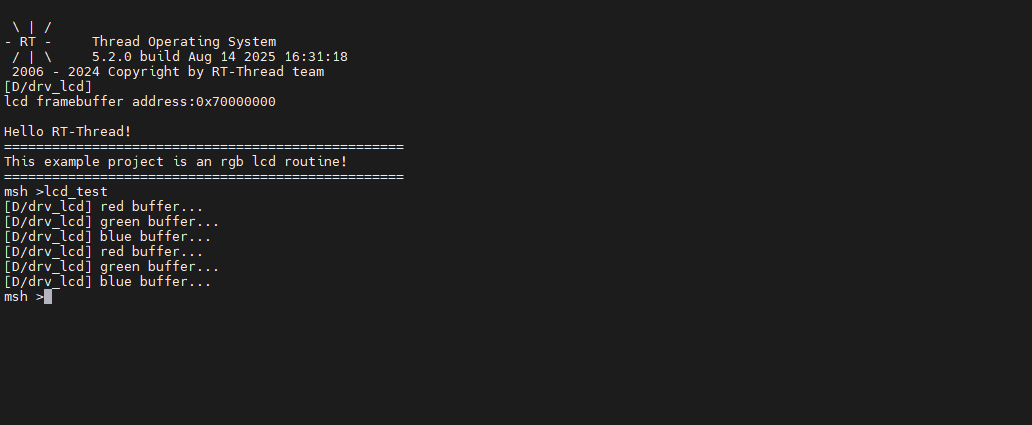
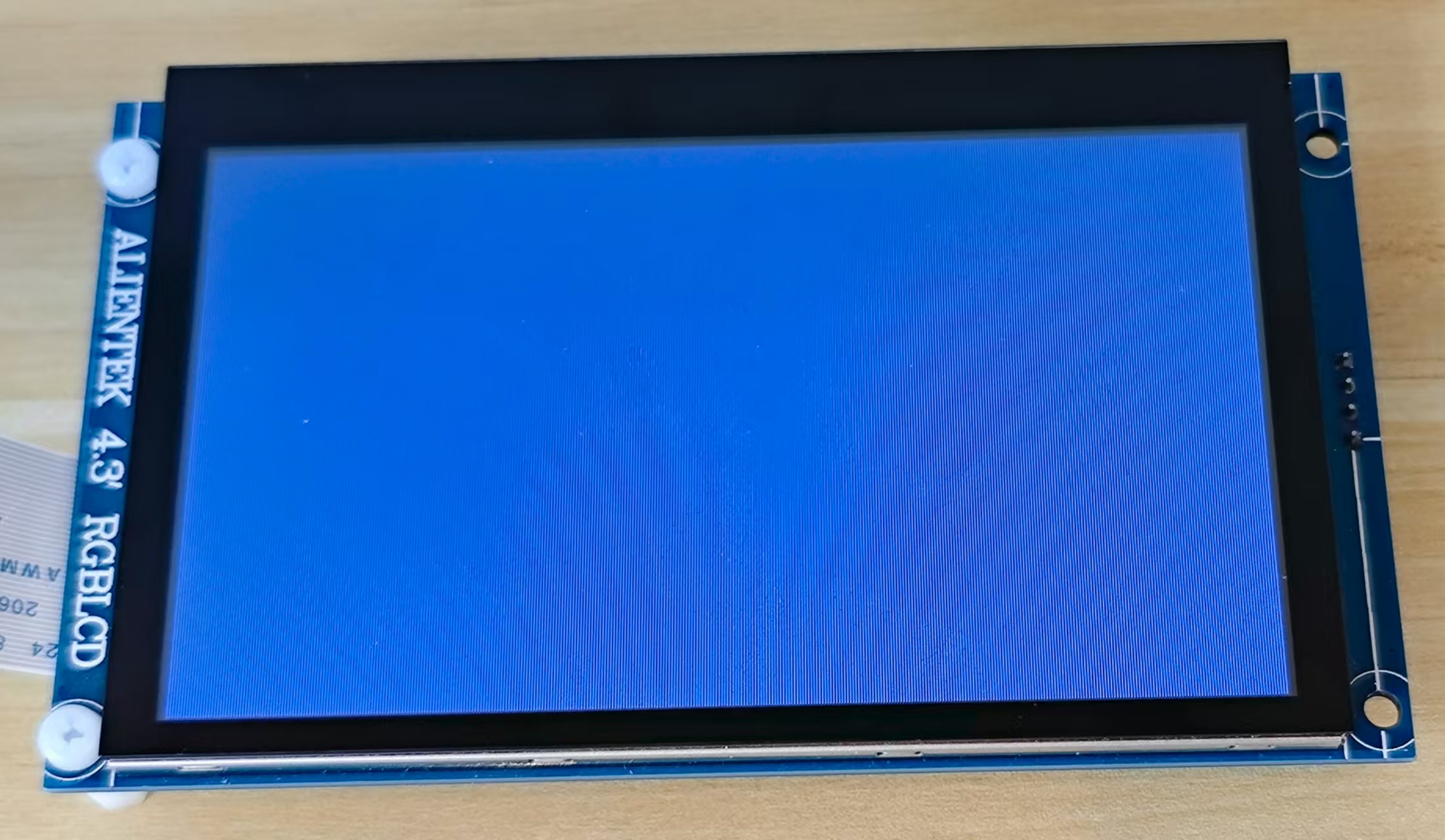
After reset the development board, type lcd_test command in the terminal to run the brush program.

image-20250815144910163

image-20250815150900671