Edgi_Talk_M55_USB_RoleSwitch CherryUSB Example Project
Chinese | English
Overview
This project integrates CherryUSB on the M55 core of the Edgi-Talk board. It is configured for USB device CDC ACM mode by default and can be switched to USB host MSC mode through board Kconfig without regenerating graphical board configuration files.
Default Configuration
RT_USING_CHERRYUSB = yRT_CHERRYUSB_DEVICE = yRT_CHERRYUSB_DEVICE_SPEED_HS = yRT_CHERRYUSB_DEVICE_DWC2_INFINEON = yRT_CHERRYUSB_DEVICE_CDC_ACM = yDevice template: CDC ACM
Build and Flash
Build the project in RT-Thread Studio or with SCons.
Flash the firmware via KitProg3 (DAP).
Connect the Type-C USB port for device enumeration.
After switching to host MSC mode, connect a USB storage device for host operation.
Configuration (Switching Modes)
Use the board Kconfig entry to switch USB roles. The graphical board configurator does not need to be regenerated for USB host/device selection.
RT-Thread Settings ->
Hardware Drivers Config ->
Onboard Peripheral Drivers ->
Enable USB ->
USB role
Device CDC ACM: selects
RT_CHERRYUSB_DEVICE, high speed, Infineon DWC2, CDC ACM, and the CDC ACM template.Host MSC: selects
RT_CHERRYUSB_HOST, Infineon DWC2, MSC, DFS, and ElmFat.
If an IP/class requires extra parameters, edit:
libraries/Common/board/ports/usb/usb_config.h
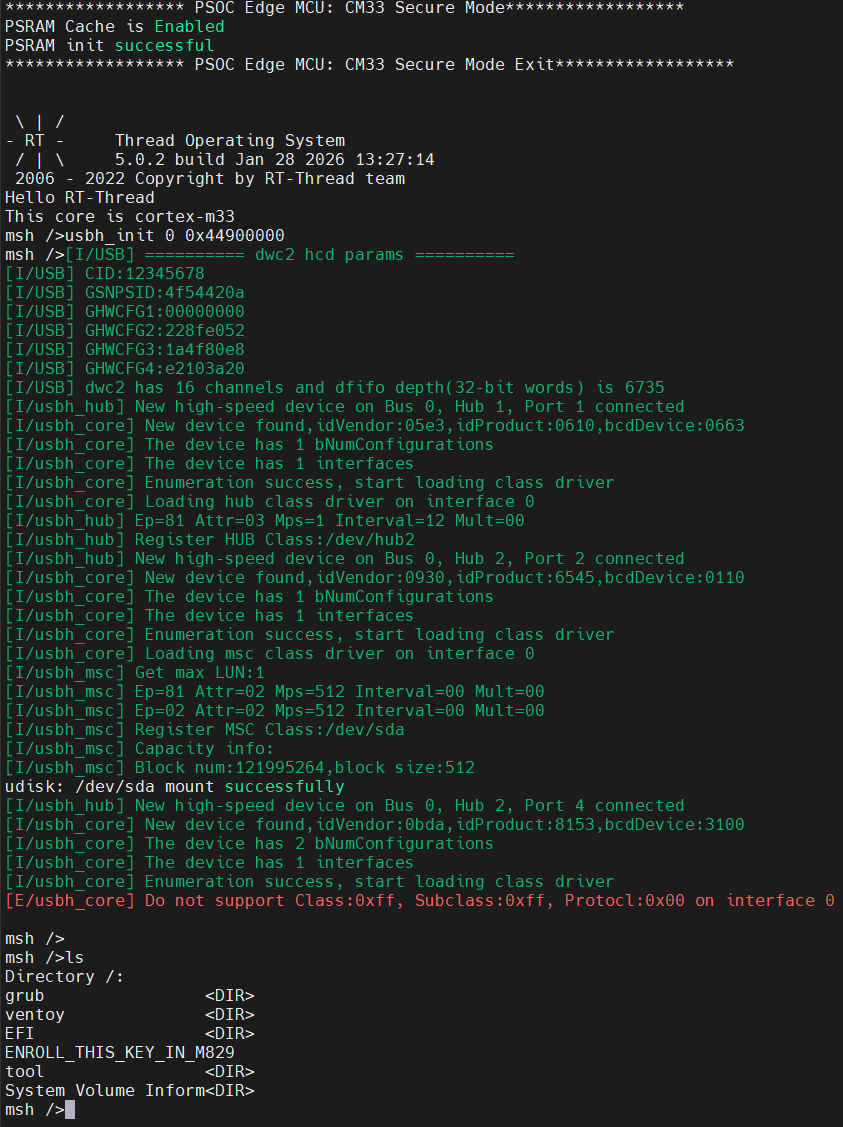
USB U-Disk (Host) Result
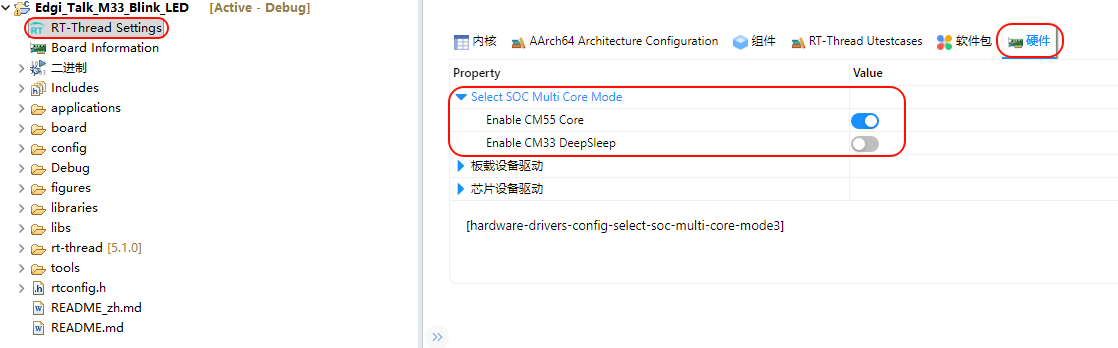
CM55 Enable Configuration
Startup Sequence
The M55 core depends on the M33 boot flow. Flash in this order:
+------------------+
|   Secure M33     |
|  (Secure Core)   |
+------------------+
          |
          v
+------------------+
|       M33        |
| (Non-Secure Core)|
+------------------+
          |
          v
+-------------------+
|       M55         |
| (Application Core)|
+-------------------+
Notes
Note: This project requires RT-Thread Studio 2.2.9 or higher.
This project targets the M55 core and supports both USB device CDC ACM and USB host MSC roles.
For the M33 USB role-switching example, see projects/Edgi_Talk_CherryUSB/Edgi_Talk_M33_USB_RoleSwitch/README.md.
If the M55 example does not run, flash Edgi_Talk_M33_Template first.
Enable CM55 in the M33 project:
RT-Thread Settings -> Hardware -> select SOC Multi Core Mode -> Enable CM55 Core