Edgi_Talk_M55_USB_UVC CherryUSB Example Project
中文 | English
Overview
This project runs on the Edgi-Talk M55 core and enables CherryUSB host mode on the Infineon DWC2 controller, with USB Video Class (UVC) host support enabled by default.
At startup, firmware calls usbh_initialize(0, USBHS_BASE, NULL) to bring up USB host. The main loop toggles the green LED (P16_6) as a liveness indicator.
Default Configuration
Key macros in rtconfig.h:
RT_USING_CHERRYUSB = yRT_CHERRYUSB_HOST = yRT_CHERRYUSB_HOST_DWC2_INFINEON = yRT_CHERRYUSB_HOST_MSC = yRT_CHERRYUSB_HOST_VIDEO = y
This gives a ready baseline for UVC device enumeration and further video application integration.
Build and Flash
Build in RT-Thread Studio or with SCons.
Flash firmware via KitProg3 (DAP).
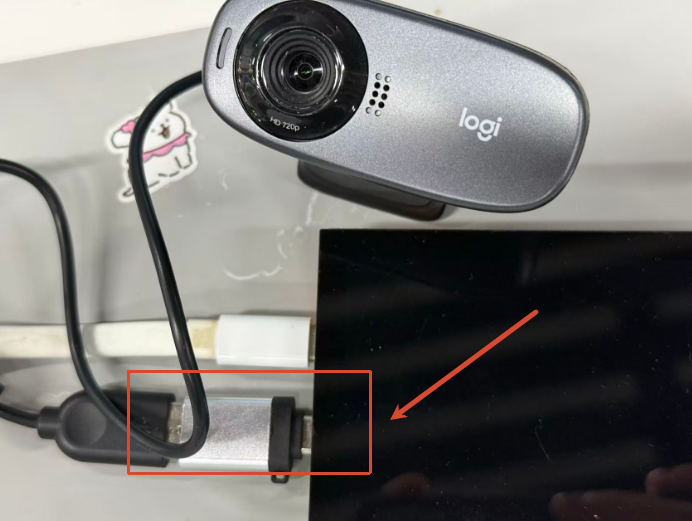
Connect a UVC camera (or other USB device) to the Type-C port.
Configuration
Open RT-Thread Studio:
RT-Thread Settings -> USB -> CherryUSB
Recommended checks:
Enable
RT_CHERRYUSB_HOSTSelect
RT_CHERRYUSB_HOST_DWC2_INFINEONas host IPEnable
RT_CHERRYUSB_HOST_VIDEOfor UVCKeep or disable
MSCand other host classes as needed
If extra USB parameters are needed, edit:
libraries/Common/board/ports/usb/usb_config.h
Runtime Result
Plug a USB camera into the board’s USB-OTG interface.
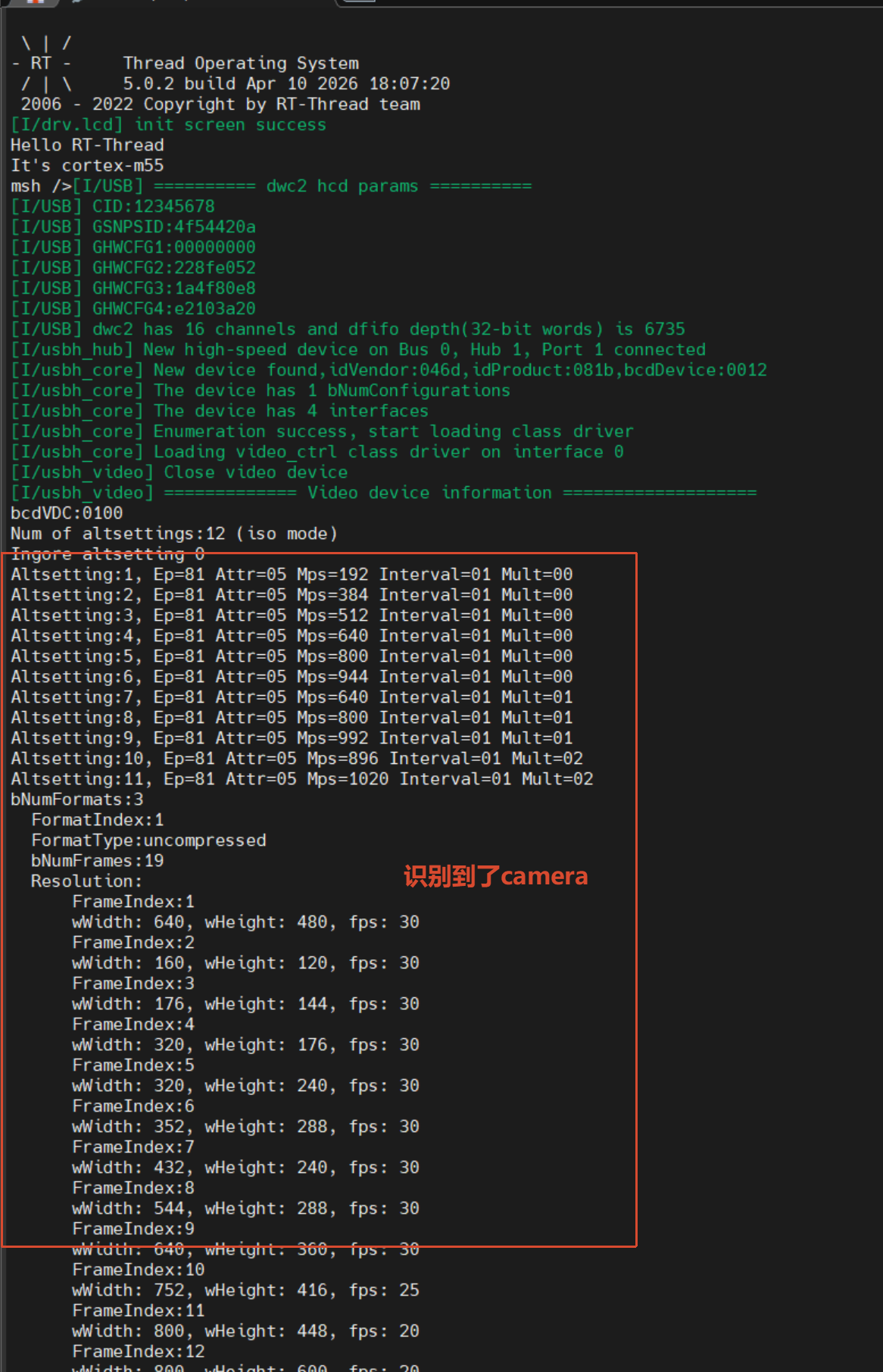
After boot, the system automatically detects camera capabilities (resolution, format, and related information).
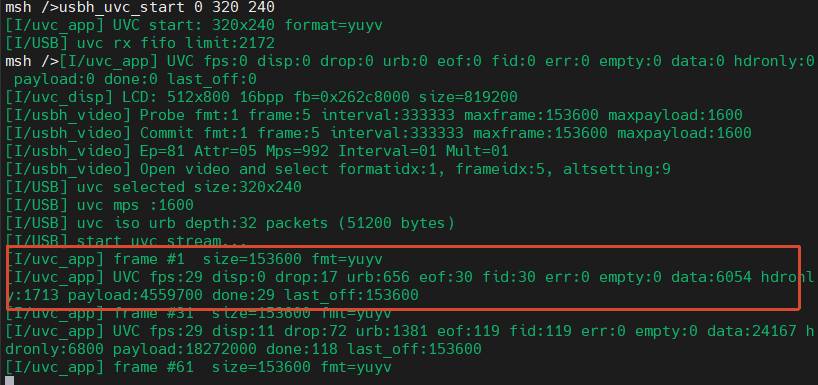
In the MSH terminal, run
usbh_uvc_start 0 320 240(0= YUYV,1= MJPEG, resolution320x240).
Note: Select parameters based on your USB camera’s actual supported modes. The maximum supported resolution is only 432x240.
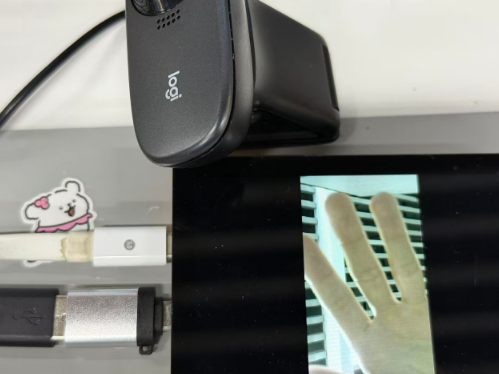
Check the serial log output. Frame-rate information is printed once per second.
Startup Sequence
The M55 core depends on the M33 boot flow. Recommended flashing order:
+------------------+
|   Secure M33     |
|  (Secure Core)   |
+------------------+
          |
          v
+------------------+
|       M33        |
| (Non-Secure Core)|
+------------------+
          |
          v
+-------------------+
|       M55         |
| (Application Core)|
+-------------------+
Notes
Note: RT-Thread Studio 2.2.9 or newer is recommended.
If this M55 project does not run, flash
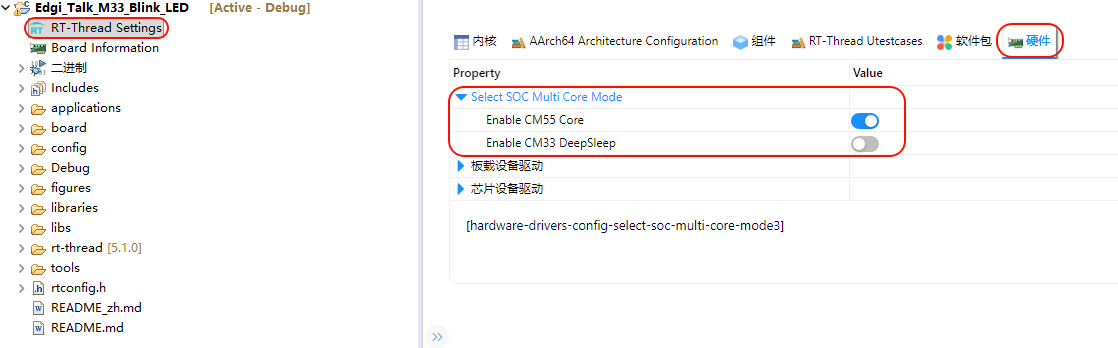
Edgi_Talk_M33_Templatefirst.Enable CM55 in the M33 project:
RT-Thread Settings -> Hardware -> select SOC Multi Core Mode -> Enable CM55 Core