Edgi_Talk_M55_DEEPCRAFT_Deploy_Vision
1. Overview
This project is an RT-Thread implementation of PSOC Edge MCU: Machine learning - DEEPCRAFT deploy vision, running on the Edgi-Talk CM55 core, using:
CherryUSB Host (DWC2, Infineon)
UVC USB camera capture
DEEPCRAFT/TFLM model inference
Real-time LCD rendering of bounding boxes and labels
It keeps the same functional goal as the ModusToolbox example (real-time vision detection + UART logs), but the software framework is RT-Thread (MSH, SCons, RT-Thread Studio).
2. Main Differences vs. ModusToolbox Example
OS/project framework: ModusToolbox -> RT-Thread project structure and configuration flow
Runtime control: start/stop UVC stream through MSH commands (
usbh_uvc_start/usbh_uvc_stop)USB app layer location:
libraries/Common/board/ports/usbAI app layer location:
libraries/Common/deepcraft_aiandapplications/uvc_ai_app.cModel files are split out into:
libraries/Common/deepcraft_ai/model/model.clibraries/Common/deepcraft_ai/model/model.h
3. Key Directory Paths
App entry:
applications/main.cAI app logic:
applications/uvc_ai_app.cUVC app layer:
libraries/Common/board/ports/usb/usbh_uvc_app.cUVC stream processing:
libraries/Common/board/ports/usb/usbh_uvc_stream.cModel files:
libraries/Common/deepcraft_ai/model/model.c,libraries/Common/deepcraft_ai/model/model.hAI core processing:
libraries/Common/deepcraft_ai/src/uvc_ai.c
4. Environment and Dependencies
RT-Thread Studio (2.2.9 or newer recommended)
GNU Arm toolchain (with Cortex-M55 + Helium/MVE support)
Board: PSOC Edge E84 family (Edgi-Talk target hardware)
Camera: UVC USB camera (320x240 YUYV recommended)
Display: project default LCD configuration
Note: This project depends on the M33 boot chain to enable CM55. If CM55 does not start, verify M33 project configuration and flashing first.
5. Important Configuration Items
Check these options in rtconfig.h / .config:
RT_USING_CHERRYUSBRT_CHERRYUSB_HOSTRT_CHERRYUSB_HOST_DWC2_INFINEONRT_CHERRYUSB_HOST_VIDEOBSP_USING_DEEPCRAFT_AIRT_USING_MSH,RT_USING_FINSH
If you want local changes in usbh_uvc_stream.c / usbh_uvc_port.c to take effect, enable:
RT_CHERRYUSB_HOST_BUILD_FROM_SOURCE
6. Build and Flash
6.1 RT-Thread Studio
Import
projects/Edgi_Talk_M55_DEEPCRAFT_Deploy_VisionCheck configuration (menuconfig / Settings)
Build
Flash via KitProg3
6.2 Command line (SCons)
Run in project directory:
scons -j8
Generated artifacts include:
rt-thread.elfrtthread.hex
7. Run Steps
Connect UART terminal at 115200 8N1
Connect LCD and UVC camera
After boot, run in MSH:
usbh_uvc_start 0 320 240
Parameters:
0= YUYV1= MJPEG
Note: In AI mode, the app forces
YUYV + 320x240(other input parameters are overridden).
Stop command:
usbh_uvc_stop
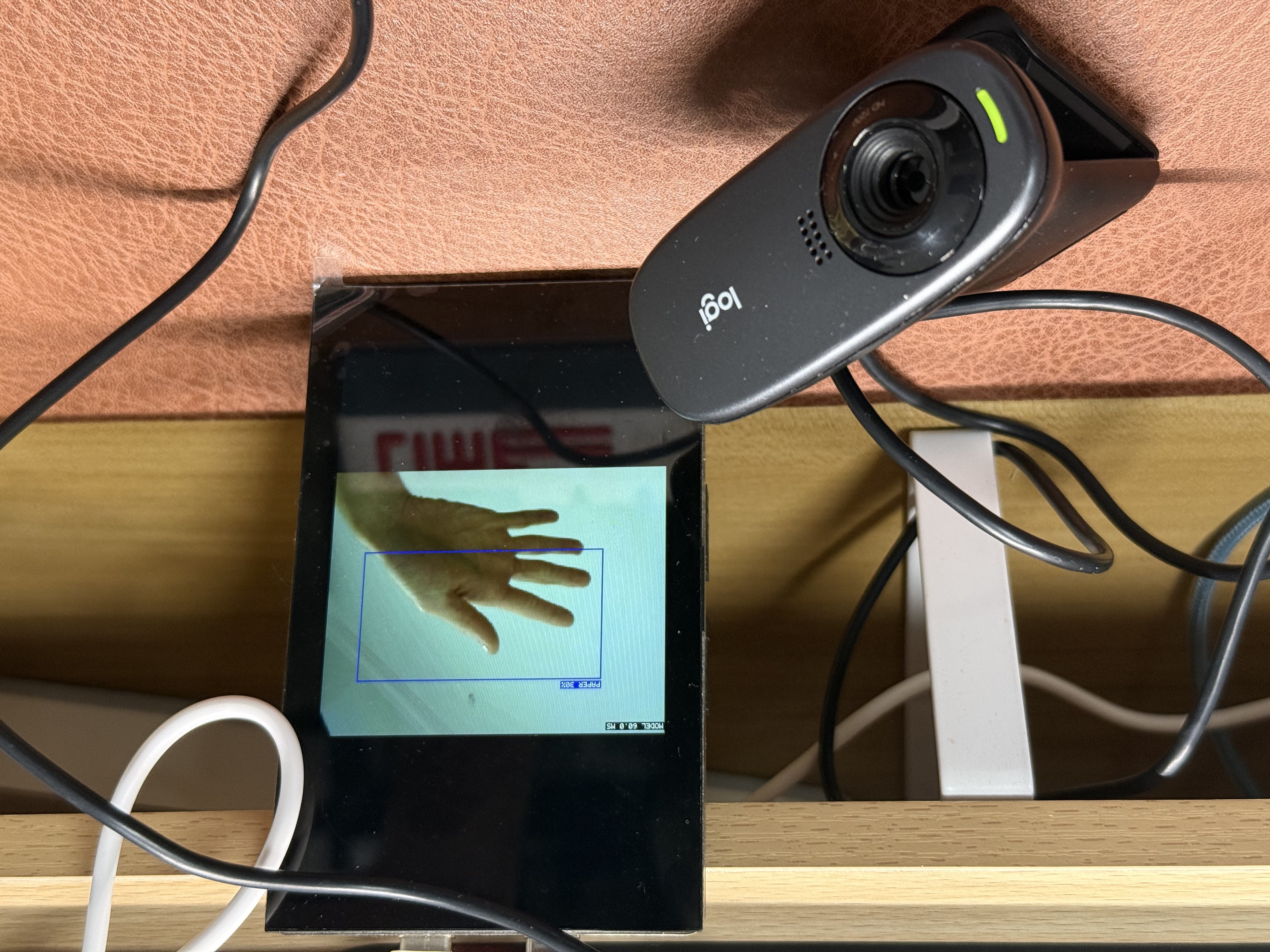
7.1 Runtime Screenshots
Figure 1: System running and detection display
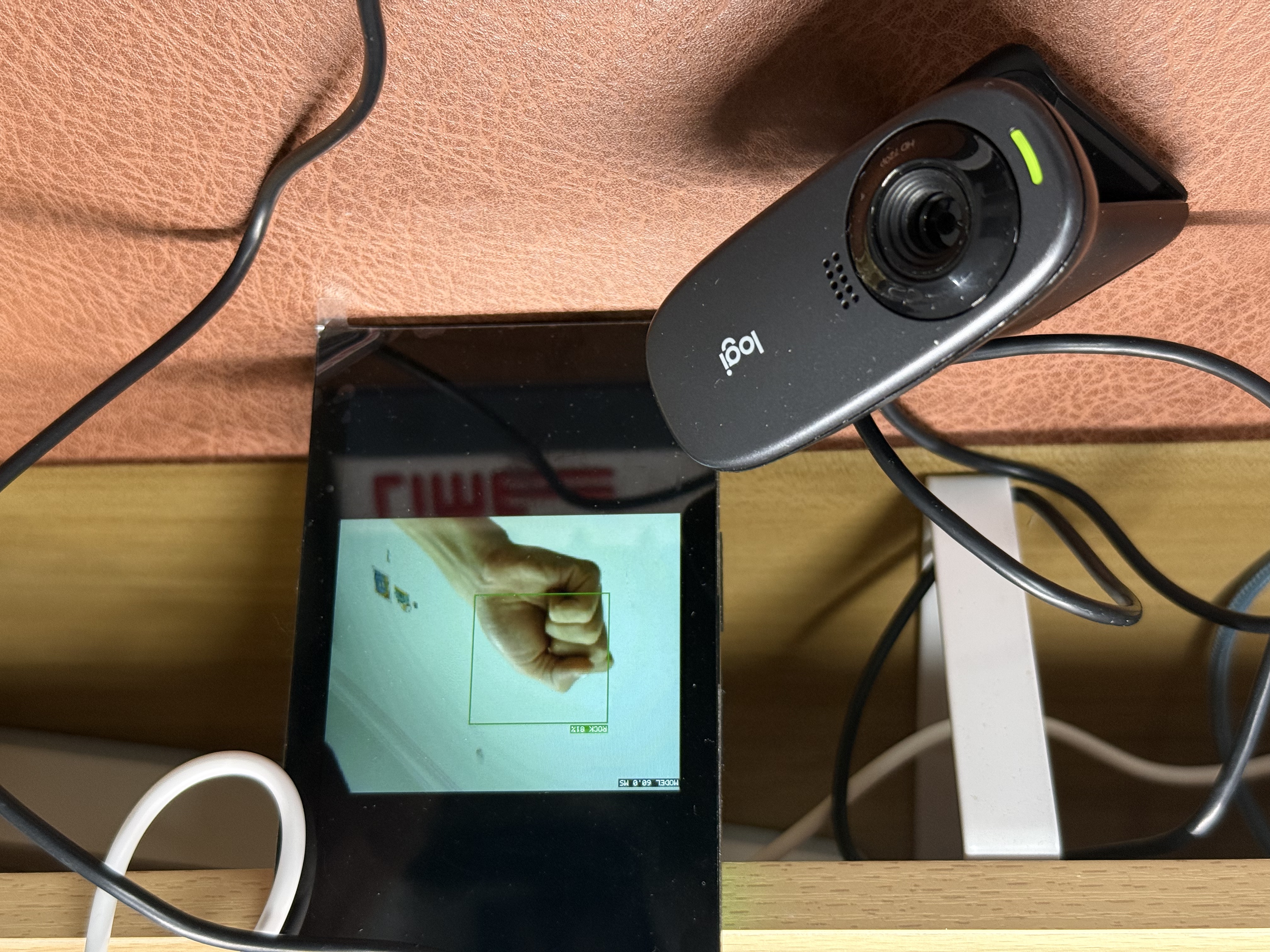
Figure 2: Camera frame with detection boxes
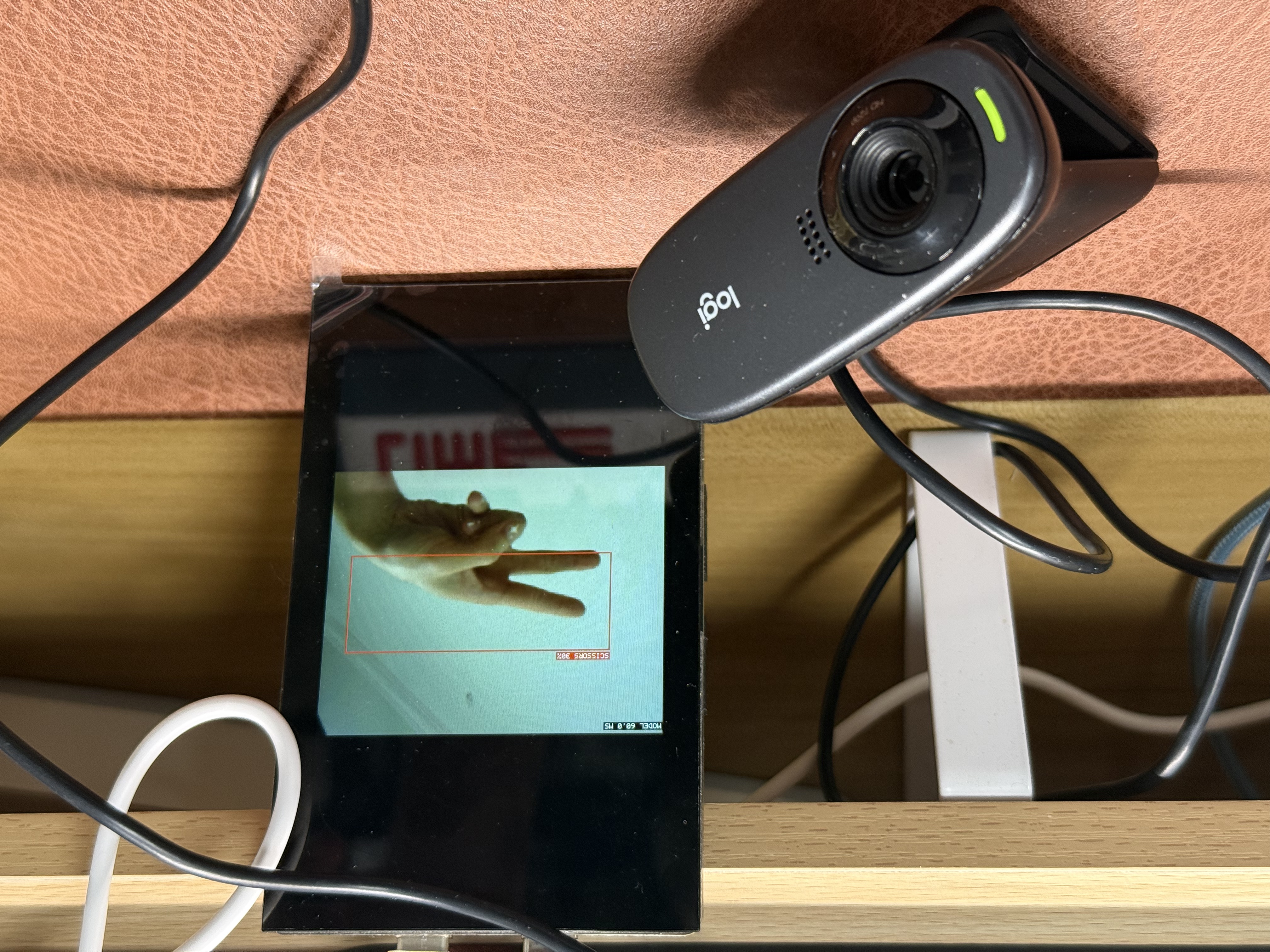
Figure 3: UART logs and detection output
8. Logs and Behavior
UVC status logs:
UVC fps:...start uvc stream...
AI logs:
AI inference ...`AI #… bbox=[…]
9. Error Handling
If you see:
uvc abort1/uvc abort2
The current implementation triggers a simplified auto-recovery flow (restart UVC stream) and prints:
UVC stream restart (...)
If this happens frequently, prioritize checking:
camera power/cable quality
UVC bandwidth and resolution settings
application load (display refresh, AI inference, log volume)
10. Model Replacement
This project now manages model files in a dedicated folder (aligned with the reference structure):
libraries/Common/deepcraft_ai/model/model.clibraries/Common/deepcraft_ai/model/model.h
When replacing model files, keep exported interfaces compatible with current code (for example IMAI_init / IMAI_compute / IMAI_finalize) and rebuild.
11. Multi-core Boot Chain
Recommended flashing order:
CM33 Secure
CM33 Non-Secure (enables CM55)
CM55 this project
If CM55 does not run, make sure CM55 is enabled in the M33 project configuration.