Edgi_Talk_USB_Deepcraft Example Project
中文 | English
Overview
This project runs on the Edgi-Talk M55 core and bridges onboard sensors to host tools over CherryUSB Device CDC ACM using a Protocol Buffers (nanopb) based streaming protocol.
At startup, firmware:
Creates a protocol context (
protocol_create) with a board UUID.Registers device drivers (currently microphone and LSM6DS3 IMU).
Initializes USB CDC device transport.
Enters a request-processing loop via
protocol_process_request.
Default Configuration
Key macros in rtconfig.h:
RT_USING_CHERRYUSB = yRT_CHERRYUSB_DEVICE = yRT_CHERRYUSB_DEVICE_DWC2_INFINEON = yRT_CHERRYUSB_DEVICE_CDC_ACM = yRT_CHERRYUSB_DEVICE_TEMPLATE_CDC_ACM = y
USB identity from applications/deepcraft/deepcraft_usbd.c:
VID:
0x058BPID:
0x027DProduct string:
Imagimob Streaming Device
Integrated Device Capabilities
system_load_device_drivers() currently registers:
Microphone (PDM/PCM)
Options: gain, mono/stereo, sample frequency
Stream type:
S16output stream
LSM6DS3 IMU
Options: sample rate, accel range, gyro range, stream mode
Modes: Combined / Split / Only Accel / Only Gyro
Build and Flash
Build in RT-Thread Studio or with SCons.
Flash firmware via KitProg3 (DAP).
Connect the board to host through Type-C and wait for CDC enumeration.
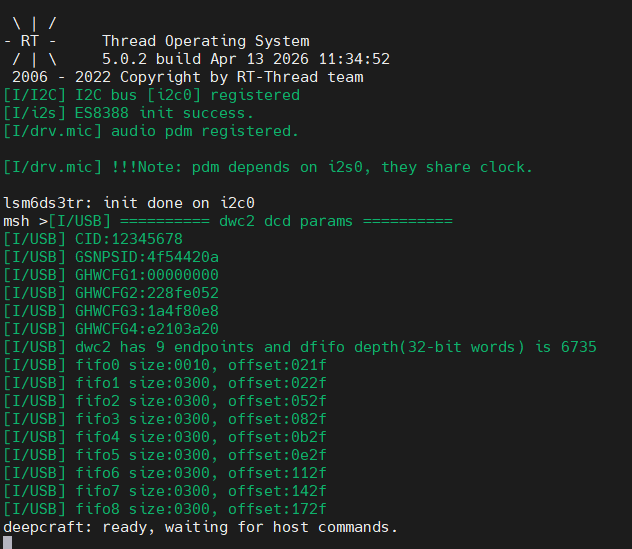
On successful startup, UART prints:
deepcraft: ready, waiting for host commands.
Deepcraft Studio Usage
Download and install Deepcraft Studio: Install & Download Studio
Create a blank project: Real-Time Data Streaming with PSOC Edge E84 HMI
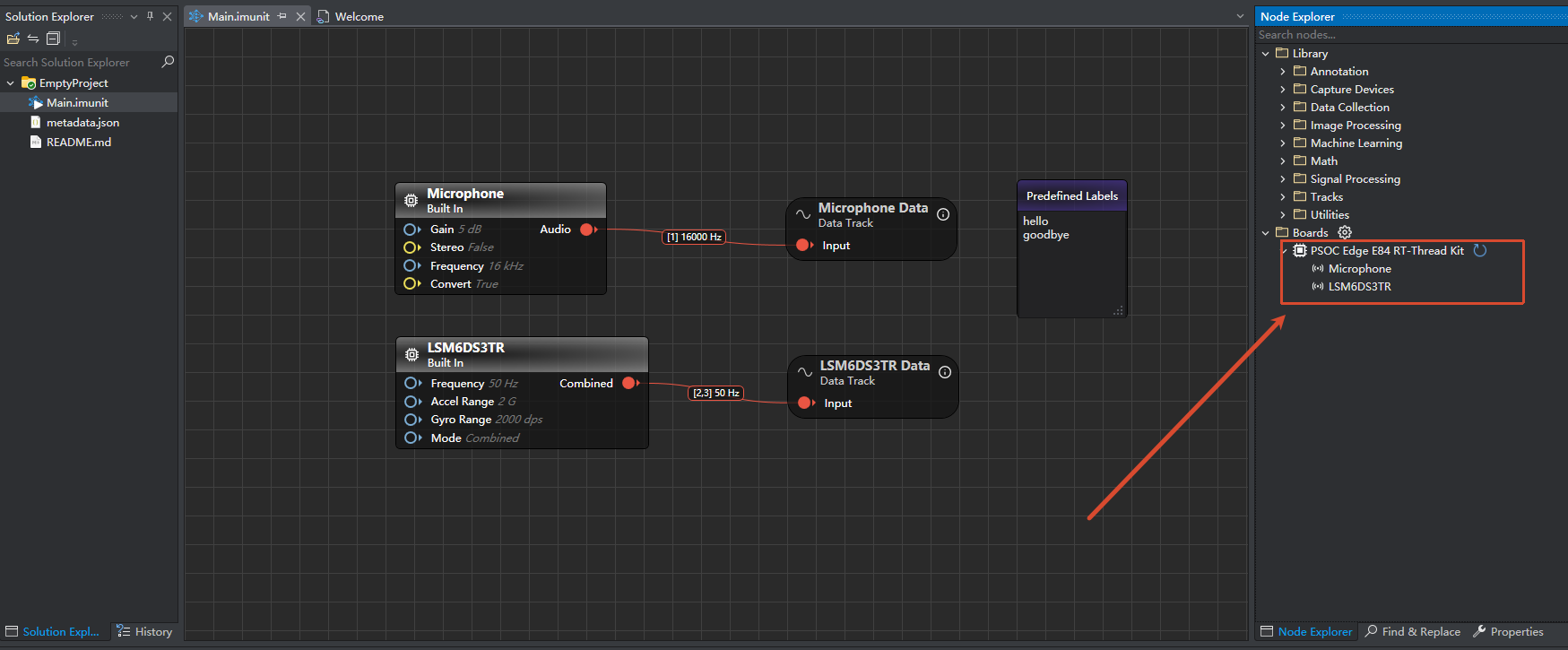
Connect the board to your PC with a USB data cable, then verify the device appears in Deepcraft Studio.
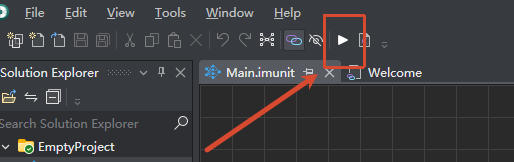
Click the build/run option to enter the data collection window.
Start recording and verify microphone plus 3-axis IMU data are streamed in real time.
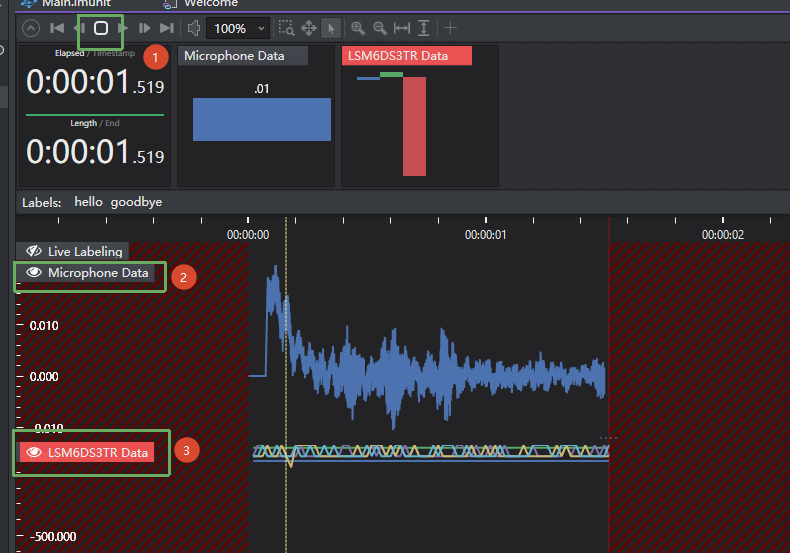
For more tutorials, see: Data Collection Microphone
Host Communication Notes
Transport: USB CDC ACM
Encoding: nanopb / protobuf
Error recovery:
If request decode fails (
PROTOCOL_STATUS_FAILED_TO_DECODE_REQUEST), firmware callsdeepcraft_usbd_resync_rx()to clear and resync the RX ring buffer.
Startup Sequence
The M55 core depends on the M33 boot flow. Recommended flashing order:
+------------------+
|   Secure M33     |
|  (Secure Core)   |
+------------------+
          |
          v
+------------------+
|       M33        |
| (Non-Secure Core)|
+------------------+
          |
          v
+-------------------+
|       M55         |
| (Application Core)|
+-------------------+
Notes
Note: RT-Thread Studio 2.2.9 or newer is recommended.
If this M55 project does not run, flash
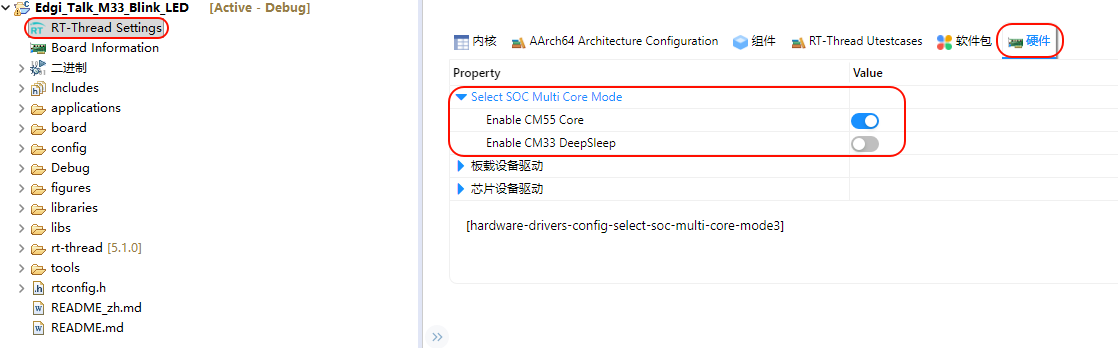
Edgi_Talk_M33_Templatefirst.Enable CM55 in the M33 project:
RT-Thread Settings -> Hardware -> select SOC Multi Core Mode -> Enable CM55 Core