Edgi_Talk_M55_WIFI Example Project
中文 | English
Introduction
This example demonstrates Wi-Fi functionality on the M55 core using RT-Thread RTOS. It allows users to quickly test Wi-Fi scanning, connection, and performance, verifying the Wi-Fi module interface.
Hardware Overview
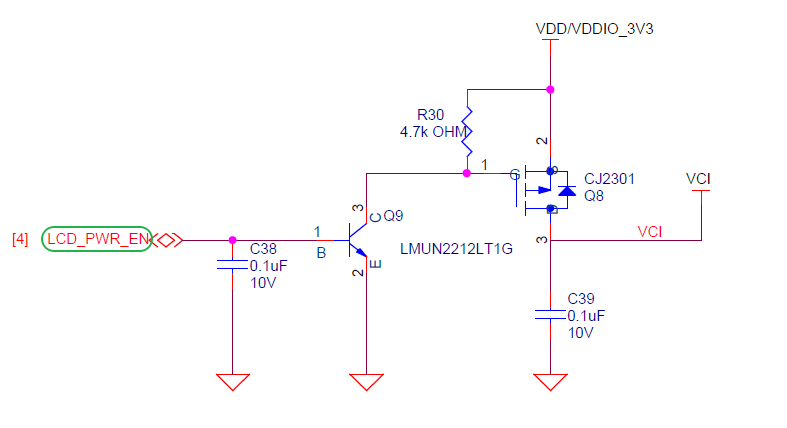
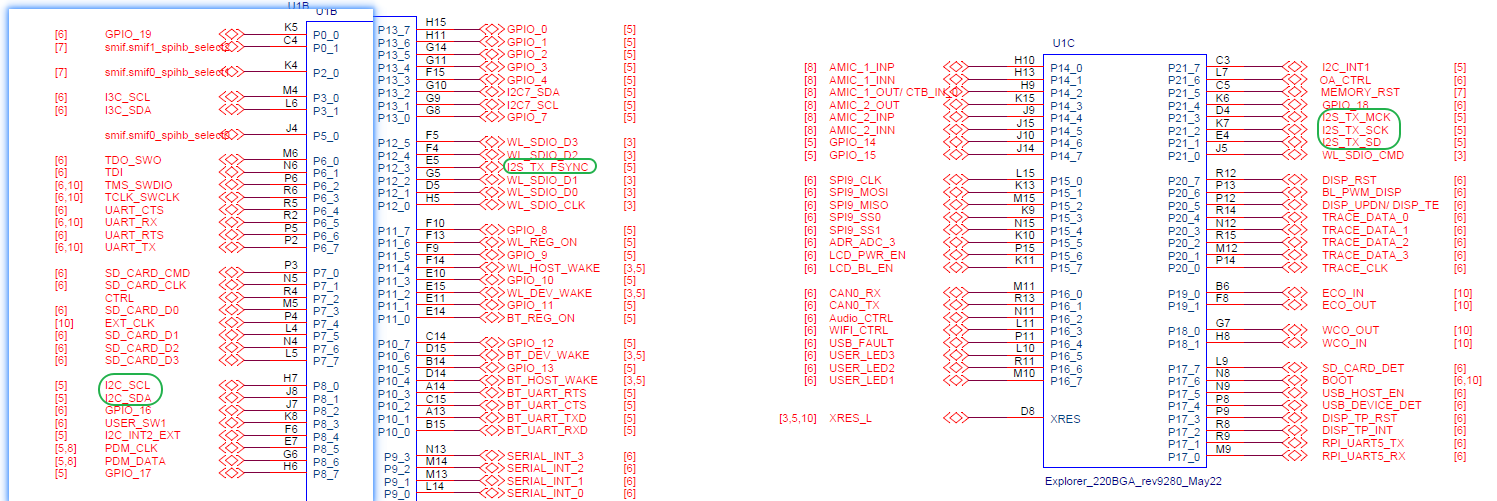
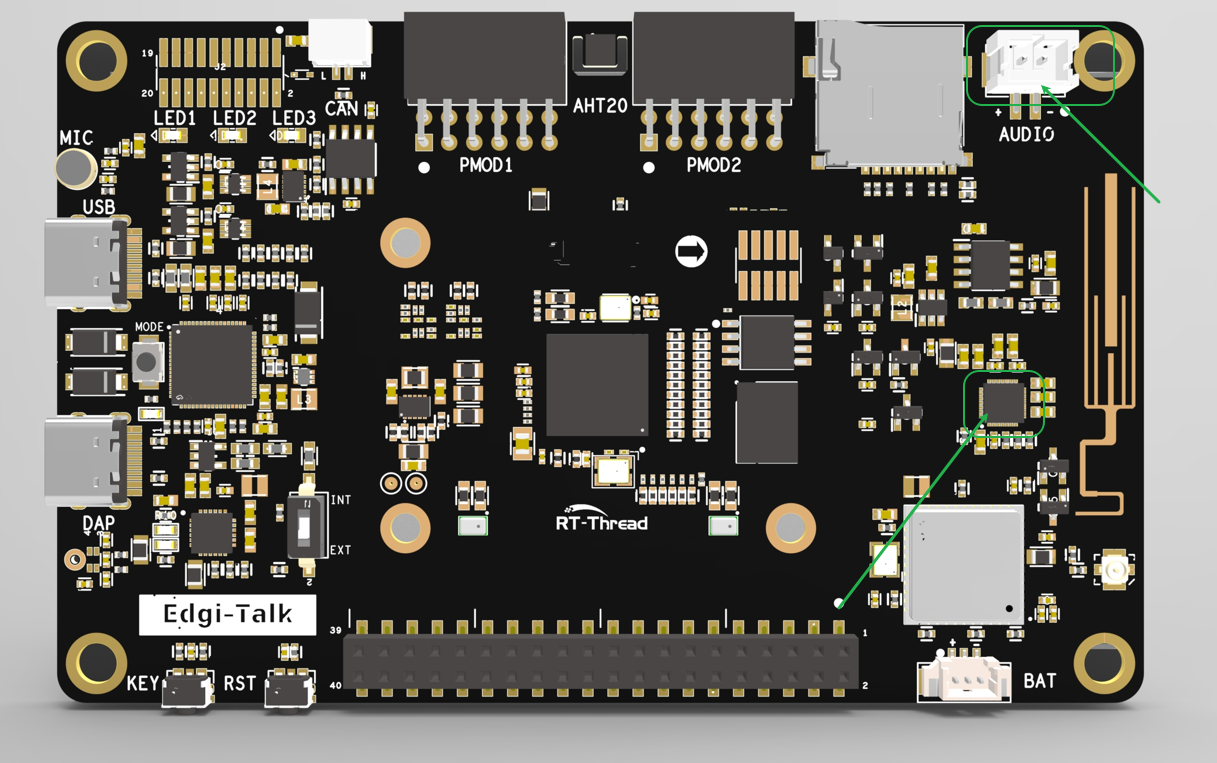
Wi-Fi Interface
BTB Socket
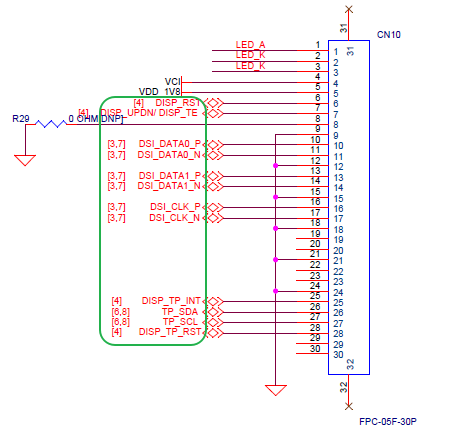
MCU Interface
Software Description
Developed on Edgi-Talk platform.
Example features:
Wi-Fi scanning
Wi-Fi connection
Iperf performance test
Provides a clear example of Wi-Fi driver integration with RT-Thread.
Usage
Build and Download
Open and compile the project.
Connect the board USB to PC via DAP.
Flash the compiled firmware from
Debug/rtthread.hex.
Prepare Wi-Fi Resources
WHD needs three resource files before the radio can start: firmware, CLM regulatory data, and board NVRAM. This document uses the FAL partition flow as the current method. The Wi-Fi resources are stored independently in the whd_firmware, whd_clm, and whd_nvram partitions. In this mode, flashing Debug/rtthread.hex only writes the application image; the Wi-Fi resources must be written separately from the serial terminal. The default Edgi-Talk resource files are provided in the project root resources/ directory.
Current Method: FAL Partitions
Select this mode in settings:
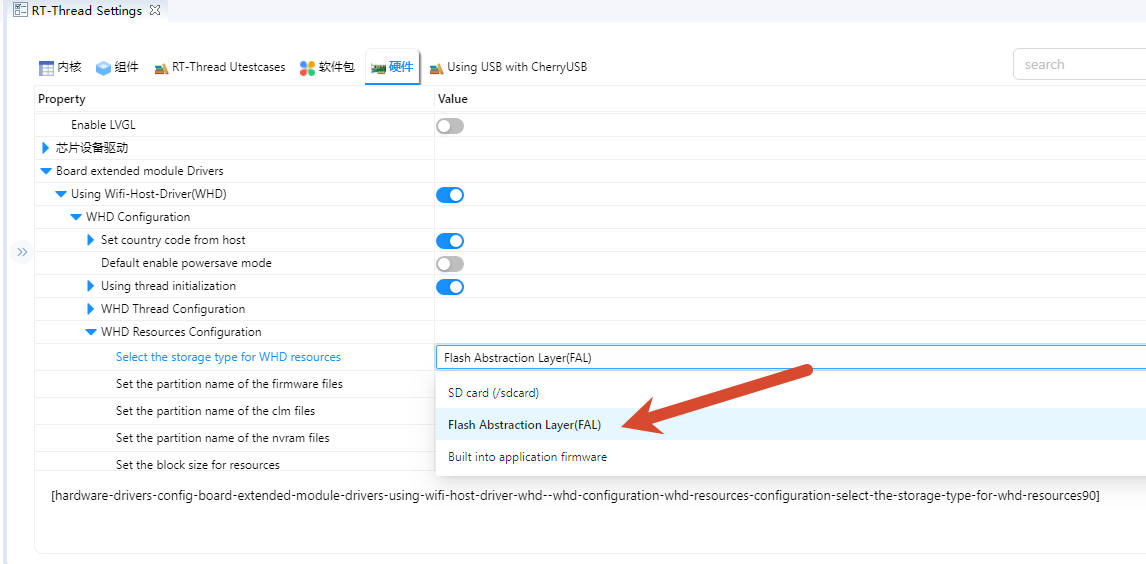
The default Edgi-Talk resource files are provided in the project root resources/ directory.
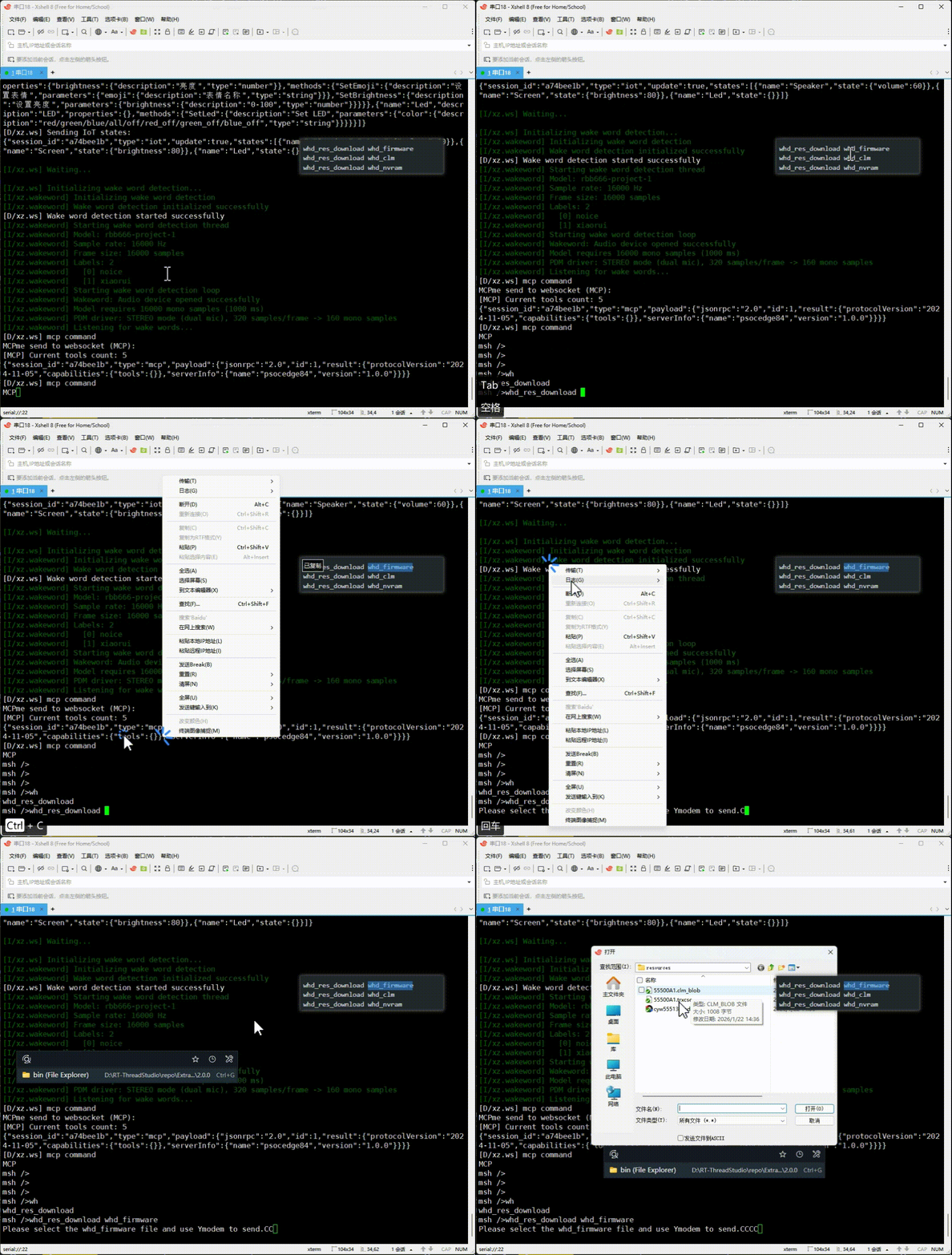
whd_res_download whd_firmware
whd_res_download whd_clm
whd_res_download whd_nvram
Each command switches to YMODEM mode. Use a terminal that supports YMODEM upload, such as Xshell, to send the matching file from resources/. Reset the board after all three transfers complete.
Wait for the
Download ... successmessage before starting the next transfer.After all three resources are written, reset the board so Wi-Fi can load the new resources. If the resource package is updated later, run
whd_res_downloadagain.
Extension: Build Wi-Fi Resources into the Application Image
If you want the Wi-Fi firmware to be programmed together with Debug/rtthread.hex, switch to WHD_RESOURCES_IN_MEMORY:
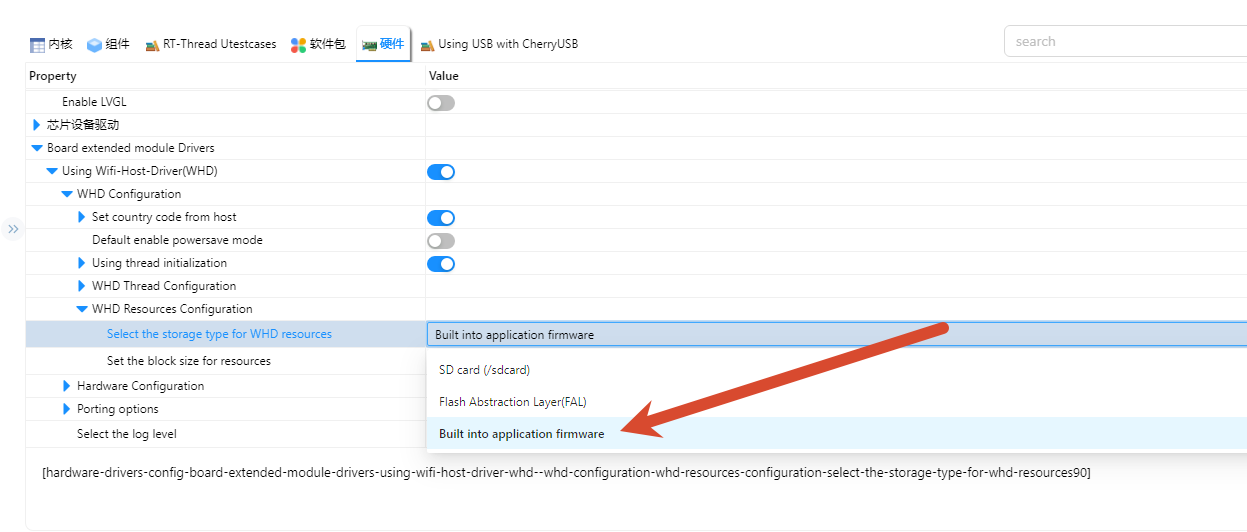
This mode builds the resource files from the project root resources/ directory into the application image:
resources/55500A1.trxcseresources/55500A1.clm_blobresources/cyw55513modpse84som_rev3.txt
After rebuilding, the Wi-Fi firmware, CLM, and NVRAM become part of the application image. After flashing Debug/rtthread.hex, you no longer need to run whd_res_download whd_firmware, whd_res_download whd_clm, or whd_res_download whd_nvram. If the Wi-Fi resource files are updated, rebuild and reflash the application image. This mode increases the application image size; the current CYW55500 firmware and CLM add about 240 KB of flash usage, plus the NVRAM text.
Note: RT-Thread Studio generates and runs makefiles from the Debug directory, while ENV/SCons builds from the project root. The current project handles this difference: Studio builds read resources from ../resources/, and ENV/SCons generates resource code from the project root resources/ directory. Place the resource files in the project root resources/; do not put them only in Debug/resources/.
Extension: SD Card Resource Loading
WHD_RESOURCES_IN_SDCARD loads the same three resources from /sdcard at runtime. The default filenames are /sdcard/55500A1.trxcse, /sdcard/55500A1.clm_blob, and /sdcard/cyw55513modpse84som_rev3.txt. This mode also enables the BSP SD card filesystem support used by the shared mount code.
Running Result
After power-on, the system initializes the Wi-Fi device.
Connect to a Wi-Fi network via serial terminal:
wifi scan
wifi join <SSID> <PASSWORD>
ping www.rt-thread.org

After connection, perform throughput test with iperf.
A GUI tool (
jperf) is provided underpackages/netutils-latest/tools.Extract
jperf.rarand run the.batfile to launch the tool.
Start iperf test from the board (replace
<PC_IP>with actual PC IP):
iperf -c <PC_IP>
Prefer 2.4 GHz network for testing (can use PC hotspot).
Notes
Ensure the Wi-Fi module is correctly connected.
Serial terminal commands allow scanning, joining, and testing Wi-Fi.
Startup Sequence
+------------------+
|   Secure M33     |
|  (Secure Core)   |
+------------------+
          |
          v
+------------------+
|       M33        |
| (Non-Secure Core)|
+------------------+
          |
          v
+-------------------+
|       M55         |
| (Application Core)|
+-------------------+
⚠️ Flash in this order strictly.
If the example does not run, first compile and flash Edgi_Talk_M33_Template.
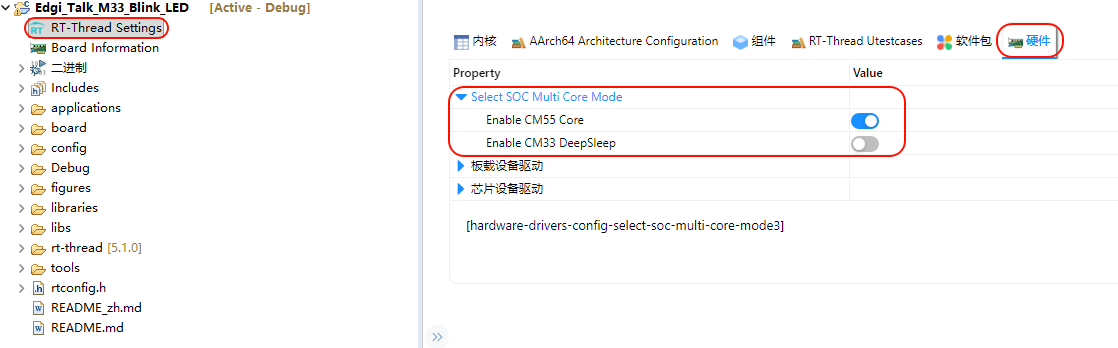
The M55 core is started by the M33 boot chain. In current templates, Edgi_Talk_M33_Template already calls
Cy_SysEnableCM55(MXCM55, CY_CM55_APP_BOOT_ADDR, 10)during board initialization, so the oldselect SOC Multi Core Mode -> Enable CM55 Coremenu may no longer appear.